
Protecting your digital assets, especially visual content like photographs, illustrations, and graphics, is paramount in today's interconnected world. Whether you're a professional photographer, a graphic designer, or a business owner sharing marketing materials, ensuring your images are protected from unauthorized use and theft is a significant concern. Manually watermarking each image individually is a time-consuming and tedious process, especially when dealing with large volumes of content.
This is where the power of batch processing comes into play. By leveraging tools and techniques designed for batch watermarking, you can efficiently apply secure watermarks across your entire image library, safeguarding your copyright and brand identity with minimal effort. This approach not only saves valuable time but also ensures consistency in your protection strategy.
Table of Contents
Why Batch Watermarking?
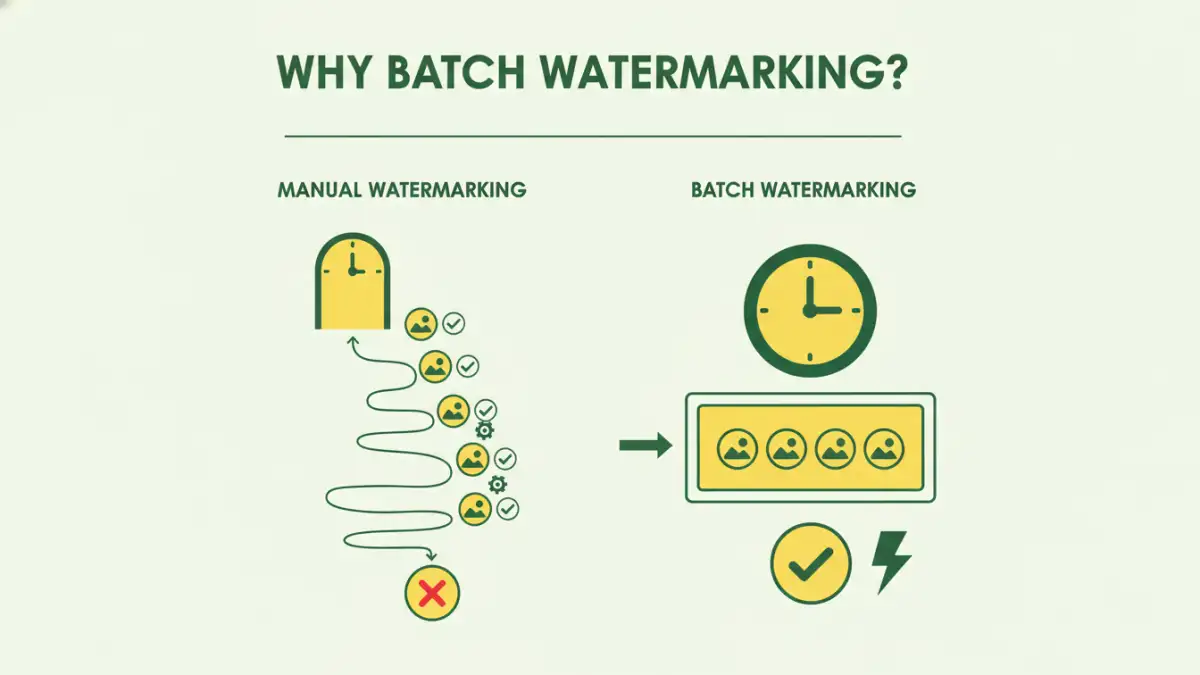
The sheer volume of images creators produce daily makes individual watermarking impractical. Imagine a wedding photographer needing to deliver hundreds of edited photos. Applying a watermark to each one by hand would take days. Batch watermarking automates this, allowing you to apply a consistent, secure watermark to hundreds or even thousands of images in a single operation.
This efficiency is crucial for maintaining productivity without compromising on the security of your visual assets. It's a fundamental aspect of effective bulk image security, ensuring that your work is properly attributed and protected against misuse.
Key Benefits of Batch Processing
- Time Savings: Dramatically reduces the time spent on applying watermarks.
- Consistency: Ensures all images receive the same watermark placement and style.
- Scalability: Easily handles large volumes of images without a significant increase in effort.
- Professionalism: Maintains a consistent brand presence across all shared visuals.
Understanding Secure Watermarks

A secure watermark is more than just a logo slapped onto an image. It's a visible or invisible mark designed to deter unauthorized use and provide proof of ownership. Visible watermarks, such as logos or text, are placed directly on the image, making it harder to remove without degrading the image quality. Invisible watermarks, often embedded using steganography, are undetectable to the naked eye but can be used to trace the image's origin.
When considering batch image file security, the type of watermark is important. For most visual creators, a clear, visible watermark that includes your name, company logo, or website URL provides immediate copyright protection. The goal is to make it inconvenient and obvious if someone tries to claim your work as their own.
Types of Secure Watermarks
- Text-based: Your name, company name, or website URL.
- Logo-based: Your brand logo.
- Combination: A mix of text and logo.
- Patterned: Repeating patterns across the image.
- Tiled: A watermark repeated across the entire image surface.
Methods for Batch Watermarking
There are several approaches to implementing batch watermarking, ranging from dedicated software to built-in features in image editing suites. Each method offers different levels of flexibility and ease of use, catering to various user needs and technical proficiencies. Understanding these options is key to selecting the most appropriate solution for your workflow.
My experience has shown that the best method often depends on the volume of images you're processing and the complexity of the watermarks you need. For simple text or logo overlays, many tools can do the job efficiently. For more advanced needs, like custom positioning or transparency adjustments, specialized software might be necessary.
Software Solutions
Many powerful image editing applications offer batch processing capabilities. Adobe Photoshop, for example, allows you to create an Action that defines your watermark and then apply it to a folder of images. Other dedicated batch watermarking software, like TSR Watermark Image or uMark, are specifically designed for this purpose and often provide more intuitive interfaces and specialized features.
Online Tools
For users who prefer not to install software, numerous online batch watermarking tools are available. These platforms allow you to upload multiple images, define your watermark, and download the processed files. While convenient for occasional use, be mindful of potential privacy concerns and file size limitations with online services.
Choosing the Right Tool
Selecting the right tool for batch watermarking depends on your specific needs, budget, and technical comfort level. Consider factors such as the types of watermarks you need (text, logo, custom), the image formats you work with, and the volume of images you process regularly. Some tools offer advanced features like conditional watermarking (e.g., only watermark if image is above a certain size) or the ability to add metadata.
For those just starting, or if you have a smaller volume of images, a free online tool or a simple action in photo editing software might suffice. However, if you're a professional photographer or a business with a large, ongoing need for copyright protection, investing in dedicated batch watermarking software will likely provide the best balance of features, efficiency, and control over your batch image file security.
Best Practices for Implementation
To maximize the effectiveness of your batch watermarking strategy, adhere to a few key best practices. First, always use a high-resolution watermark that remains clear even when resized. Second, consider the placement carefully; avoid placing watermarks in areas that might be cropped out or easily edited. A common approach is to place it in a corner or across a less critical part of the image.
Finally, create a master watermark file that you can easily import into your chosen batch processing tool. This ensures consistency and makes adjustments simple. Regularly review your watermarked images to ensure they meet your quality and security standards. Proper implementation is key to robust copyright protection for your visual assets.
Comparison Table: Batch Watermarking Methods
| Method | Pros | Cons | Best For |
|---|---|---|---|
| Dedicated Software | Powerful features, high control, robust security, handles large volumes | Can be costly, learning curve for advanced features | Professionals, large image libraries, complex needs |
| Image Editor Actions (e.g., Photoshop) | Cost-effective if you already own software, good control over watermark design | Requires software ownership, can be complex to set up actions, less intuitive for beginners | Existing software users, moderate image volumes, custom watermark designs |
| Online Watermarking Tools | Accessible anywhere, often free or low-cost, quick and easy for simple tasks | Privacy concerns, file size/quantity limits, less customization, requires internet connection | Occasional users, small batches, simple text/logo watermarks |
| Command-Line Tools (e.g., ImageMagick) | Highly scriptable, free, very powerful for automation, no GUI needed | Steep learning curve, requires technical expertise, no visual interface for setup | Developers, advanced users, server-side automation, bulk image security scripting |