
In our digital lives, images often carry more information than we realize. Every photo, whether taken on a smartphone or a professional camera, can contain embedded data like location (GPS coordinates), date and time of capture, camera model, and even device settings. This metadata, while useful for organization, can pose significant privacy risks if not managed properly, especially when sharing images publicly or with third parties. Imagine inadvertently sharing a family photo that reveals your home's exact location – a scenario easily preventable with the right security measures.
The challenge amplifies when dealing with a large collection of images. Manually stripping metadata from each file is tedious and prone to errors. This is where the power of batch processing comes into play. By applying security measures to multiple files simultaneously, we can dramatically improve efficiency and ensure consistent protection across our entire image library.
Table of Contents
Understanding Image Metadata
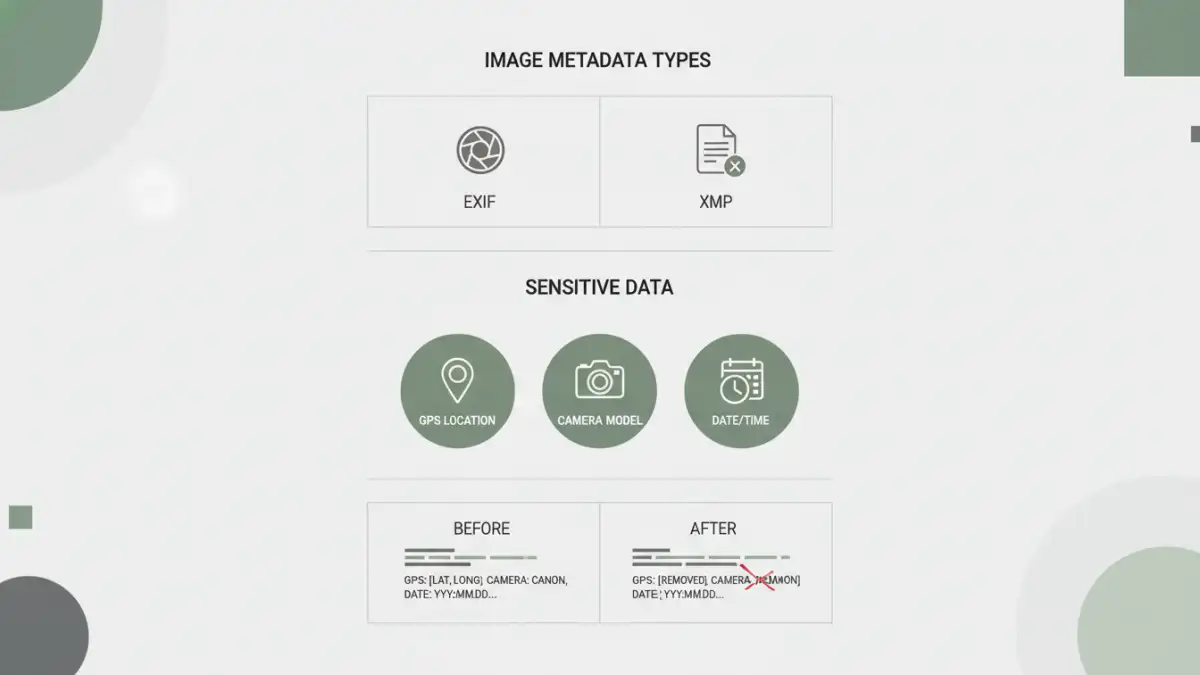
Image files, such as JPEGs, TIFFs, and PNGs, often contain Extensible Metadata Platform (XMP) or Exchangeable Image File Format (EXIF) data. This information is automatically generated by the camera or device and can include details about the camera settings, lens used, date and time of creation, and importantly, GPS coordinates if location services were enabled. While this data helps in organizing and cataloging photos, it's often invisible to the casual viewer.
What is EXIF Data?
EXIF data is a standard that specifies how image metadata should be encoded and stored within image files. It's a treasure trove of technical details about how a photo was taken. For most users, the date and time are the most commonly seen pieces of EXIF data. However, it also includes less obvious, but potentially more sensitive, information like camera serial numbers and specific geolocation tags.
Why You Should Remove Sensitive Metadata
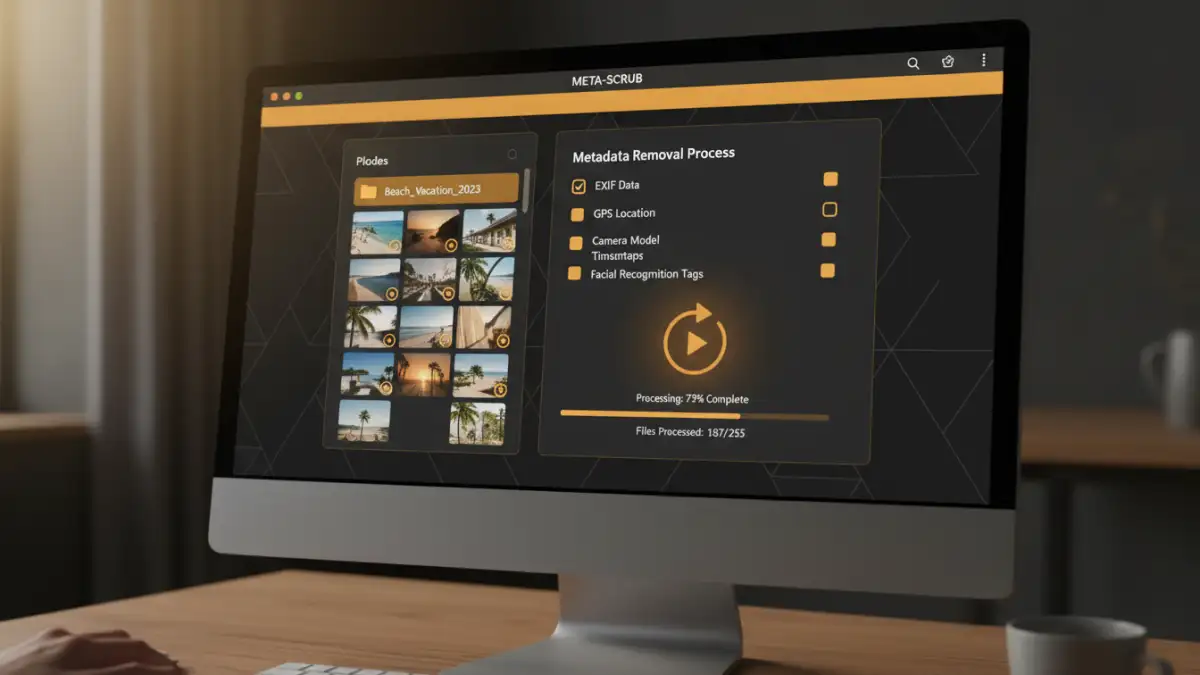
The primary driver for removing sensitive metadata is to protect your privacy and security. Sharing photos online, whether on social media, forums, or even via email, can inadvertently reveal personal information. For instance, geotagged photos can expose your whereabouts, which could be a security risk. Professionals like photographers or real estate agents might need to strip metadata to protect client confidentiality or proprietary information embedded in image details.
Beyond personal privacy, removing metadata can also be crucial for compliance. Certain industries or regulations might require that personally identifiable information, including location data, be scrubbed from images before they are published or archived. This ensures adherence to data protection laws and prevents potential breaches.
Batch Processing Methods for Metadata Removal
The efficiency of batch processing is a game-changer when dealing with numerous image files. Instead of opening and editing each photo individually, you can select a folder of images and apply a metadata removal process to all of them at once. This significantly reduces the time and effort required to secure your files. This is where understanding batch metadata security becomes essential for efficient workflows.
Using Desktop Software
Several desktop applications offer robust features for batch metadata removal. These programs often provide more control over which metadata tags are removed. You can typically select a folder, choose the types of metadata to strip (e.g., GPS data, camera model, date/time), and then process the entire batch. Many photo editing suites include this functionality, as do dedicated metadata management tools. Some tools even allow for custom presets, so you can quickly apply your preferred security settings to new batches of photos.
Leveraging Command-Line Tools
For users comfortable with the command line, tools like ExifTool offer unparalleled power and flexibility. ExifTool is a free, open-source utility that can read, write, and edit meta information in a wide variety of file formats, including images. Its command-line interface allows for scripting complex operations, making it ideal for automated workflows. You can write a simple script to navigate to a directory, execute a command to remove specific metadata tags from all JPG files, and save the modified images or create new ones.
Online Tools and Services
While desktop software and command-line tools offer more control and privacy, online services can be a convenient option for quick, one-off tasks or for users who prefer not to install software. Many websites offer free tools where you can upload images, and they will strip the metadata for you. However, it's crucial to be mindful of privacy concerns when using online services, as you are uploading your files to a third-party server. Always choose reputable services and understand their privacy policies before proceeding.
Choosing the Right Tool
The best tool for you depends on your specific needs and technical comfort level. For casual users who need to quickly clean up a few photos before sharing, a simple online tool might suffice. If you deal with a large volume of images regularly or require granular control over metadata removal, desktop software or command-line utilities are more suitable. Consider factors like ease of use, features offered, cost, and privacy implications when making your choice.
For professionals or those who prioritize security and efficiency, investing time in learning a command-line tool like ExifTool or a feature-rich desktop application can pay significant dividends. These tools enable robust bulk data removal, ensuring your images are consistently secured without manual intervention for each file.
Best Practices for Secure File Privacy
Implementing a consistent strategy for strip image metadata is key to maintaining secure file privacy. Regularly review your photos and identify which ones contain sensitive information. Automate the process where possible, perhaps by integrating metadata stripping into your photo import workflow. Always test your chosen method on a few sample images first to ensure it works as expected and doesn't accidentally remove desired data.
Furthermore, educate yourself and others on the importance of metadata. Understanding what information is embedded in your files empowers you to make informed decisions about sharing them. By adopting a proactive approach to metadata management, you can significantly enhance your digital security and protect your personal information from unintended exposure.
Comparison Table: Metadata Removal Methods
| Method | Ease of Use | Control Level | Privacy | Best For |
|---|---|---|---|---|
| Online Tools | High | Low | Moderate (depends on service) | Quick, single images |
| Desktop Software | Medium to High | High | High | Regular users, batch processing |
| Command-Line Tools (e.g., ExifTool) | Low to Medium (requires learning) | Very High | Very High | Advanced users, automation, bulk data removal |