
Working with password-protected documents can be frustrating, especially when you've genuinely forgotten the password or inherited a file without credentials. As someone who's navigated the complexities of data security and recovery for over a decade, I understand the panic that sets in when you realize a crucial file is inaccessible. Fortunately, there are often ways to regain access, ranging from simple tricks to more involved technical solutions.
The need for security often leads to encryption, which is a powerful tool for protecting sensitive information. However, this very protection can become a barrier if the access key, or password, is lost. This guide aims to provide a clear path through the common challenges of encrypted document recovery, offering practical advice for various scenarios.
Table of Contents
Understanding Password Protection
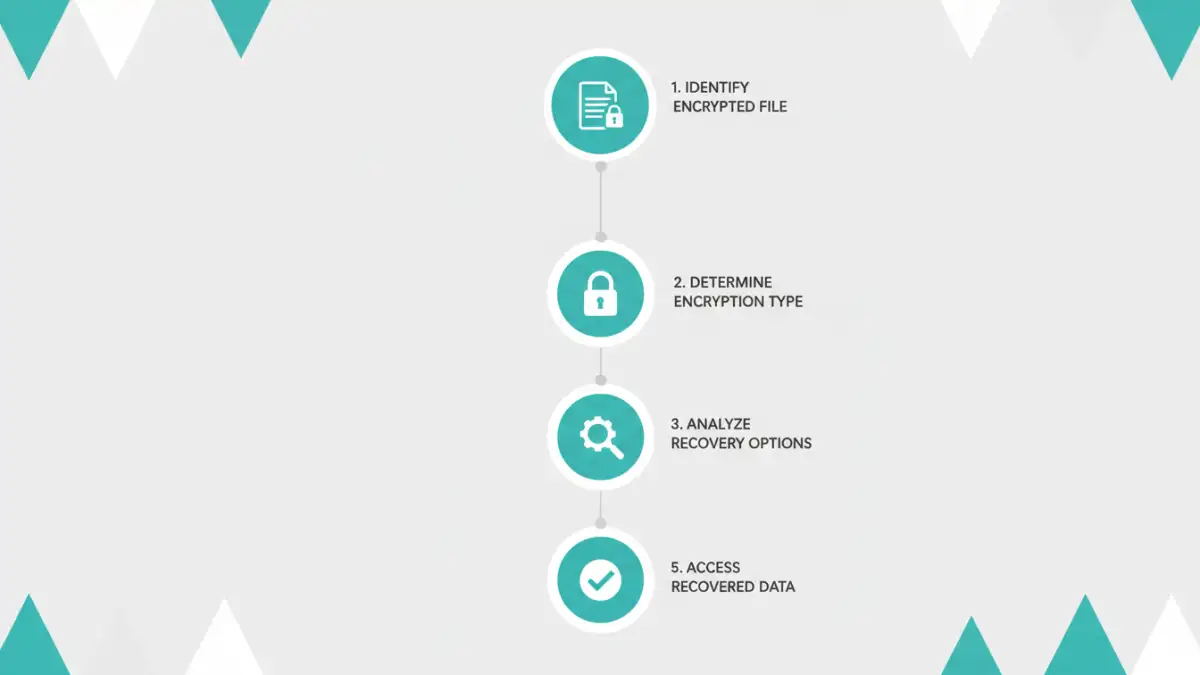
Password protection on documents, whether it's a Word file, PDF, or Excel spreadsheet, relies on encryption algorithms. These algorithms scramble the document's content, making it unreadable without the correct password. The strength of this protection varies based on the encryption standard used by the software. Some older or simpler methods might be more susceptible to certain recovery techniques than modern, robust encryption.
Types of Document Encryption
Different applications use varying levels of encryption. For instance, Microsoft Office documents often use AES (Advanced Encryption Standard) for newer versions, while older versions might use weaker proprietary algorithms. PDFs can employ similar standards, and the specific protection settings chosen by the creator significantly impact the difficulty of recovery. Understanding the source and type of protection is the first step in determining the most effective approach.
Basic Recovery Methods

Before diving into complex tools, some basic, often overlooked, methods might work. If the document was created by you or a colleague, the first step is always to check for saved passwords or common password patterns. Sometimes, the password might be a simple variation of a name, date, or a commonly used phrase. If the document is an older Microsoft Office file, certain browser-based tricks might be applicable, particularly for owner-level passwords.
The Browser Trick for Some Office Files
For older Microsoft Office documents (like .doc or .xls) that are protected with a password set by the owner, a peculiar but sometimes effective method involves renaming the file extension to .zip and then extracting its contents. Inside the extracted folders, you might find an XML file that can be edited to remove the password protection. This method is not foolproof and works only under specific circumstances, often related to the password type.
Using Online Recovery Services
The internet offers a plethora of online tools designed for encrypted document recovery. These services typically involve uploading your password-protected file to their platform. The service then attempts to crack the password using brute-force, dictionary attacks, or other algorithms. These tools can be very convenient, especially for less complex passwords, and often require no software installation.
However, using online services comes with significant privacy considerations. You are uploading potentially sensitive data to a third-party server. It's crucial to use reputable services with clear privacy policies and understand the risks involved. For highly confidential documents, this approach might not be suitable.
Desktop Software Solutions
For more robust and secure encrypted document recovery, dedicated desktop software is often the best route. These applications are installed on your computer and perform the recovery process locally, offering better privacy than online tools. They usually employ more advanced algorithms and offer customizable attack parameters for brute-force or dictionary attacks.
Software like Passware Kit or Elcomsoft Advanced Office Password Recovery are well-known examples. They support a wide range of file formats and encryption types. While many of these powerful tools are commercial, they often provide trial versions or offer professional services if you need assistance with particularly stubborn files. This is where serious encrypted document recovery efforts are often focused.
Advanced Considerations
When standard methods fail, advanced techniques might be necessary. This can involve using specialized hardware for faster brute-force attacks, or if you have access to the system where the file was last opened, forensic tools might help recover residual password information. For highly encrypted files, particularly those protected with strong, modern AES encryption, recovery can become extremely time-consuming and computationally expensive, sometimes taking years or even longer depending on the password's complexity.
It's important to note that attempting to bypass or recover passwords on files you do not own or have permission to access can have legal consequences. This guide is intended for legitimate recovery of your own lost passwords or inherited files.
Best Practices for Prevention
The most effective strategy is always prevention. To avoid the headache of lost passwords, implement a robust password management system. Use a reputable password manager to generate and store strong, unique passwords for your documents. Regularly back up your important files, and consider storing a password hint or recovery key in a secure, separate location. This proactive approach ensures that you can always access your secure document when needed.
Comparison Table: Password Recovery Methods
| Method | Pros | Cons | Best For |
|---|---|---|---|
| Browser Trick (Older Office) | Free, no software required | Limited file types and password types, not always reliable | Quick fixes for owner passwords on older MS Office files |
| Online Recovery Tools | Convenient, no installation, often fast for simple passwords | Privacy concerns, potential data exposure, limited effectiveness on strong passwords | Non-sensitive documents with potentially weak passwords |
| Desktop Software | More powerful, secure (local processing), supports various file types and encryption | Often paid, requires installation, can be complex | All types of password-protected files, including sensitive data when privacy is key |
| Password Managers | Secure password generation and storage, easy access | Requires initial setup, usually subscription-based for full features | Preventing future password loss and managing multiple document passwords |