
I recently reviewed a project where a team was sharing critical design feedback on PDFs, but the annotations themselves contained sensitive client information. This scenario highlighted a crucial vulnerability: while the PDF document might be password-protected, the comments and markups added later aren't always automatically secured with the same level of encryption. This oversight can expose confidential data, turning seemingly innocuous feedback into significant security risks.
Table of Contents
Understanding the Need for Secure Annotations
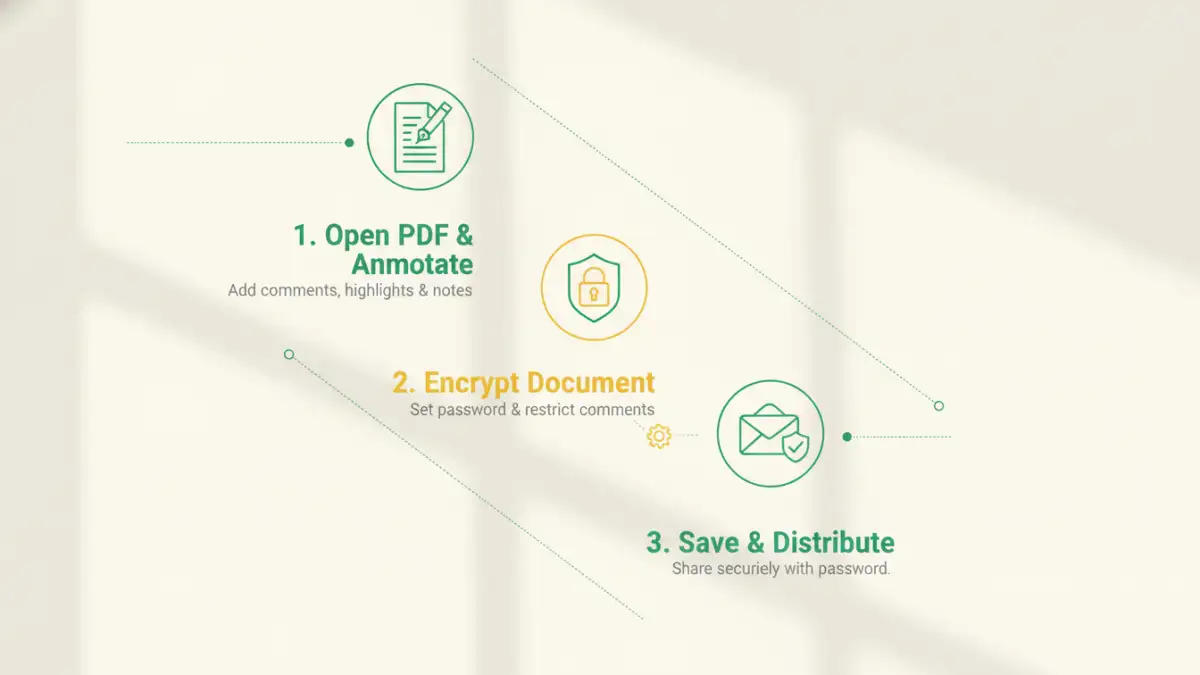
In many professional environments, PDFs are the go-to format for sharing documents, especially when collaboration and feedback are involved. From legal contracts to architectural blueprints, medical records to financial reports, the ability to add comments and highlight sections is invaluable. However, the convenience of digital collaboration often overshadows the inherent security risks if proper precautions aren't taken.
My experience has shown that many teams focus primarily on securing the core PDF file, overlooking the data embedded within its annotations. This oversight is a common entry point for data breaches, especially when documents move between different systems or are accessed by various stakeholders.
Why Standard Annotations Fall Short
When you add comments or highlights to a PDF, these are typically stored as metadata within the file. If the original PDF was encrypted, you might assume these new additions inherit the same protection. Unfortunately, this isn't always the case. Some PDF editors and viewers might allow annotations to be added without re-encrypting the entire document or ensuring the annotations themselves are encrypted separately.
This means that even if the main document requires a password to open, the annotation layer might be accessible or extractable by unauthorized tools or methods. This creates a significant loophole for sensitive information, as secure PDF markup is not guaranteed by default.
The Risk of Unsecured Markup
Imagine a legal document where client names, case details, or financial figures are mentioned in comments by a legal team. If these comments are not properly secured, they could be extracted and exposed. Similarly, in a medical context, patient data in annotations could violate privacy regulations.
The risk extends beyond simple viewing. Unsecured markup can be copied, pasted, or even scraped by malicious scripts, leading to compliance breaches and reputational damage. Ensuring data security in PDF workflows, particularly for annotations, is paramount to maintaining confidentiality.
Methods for Encrypting PDF Annotations
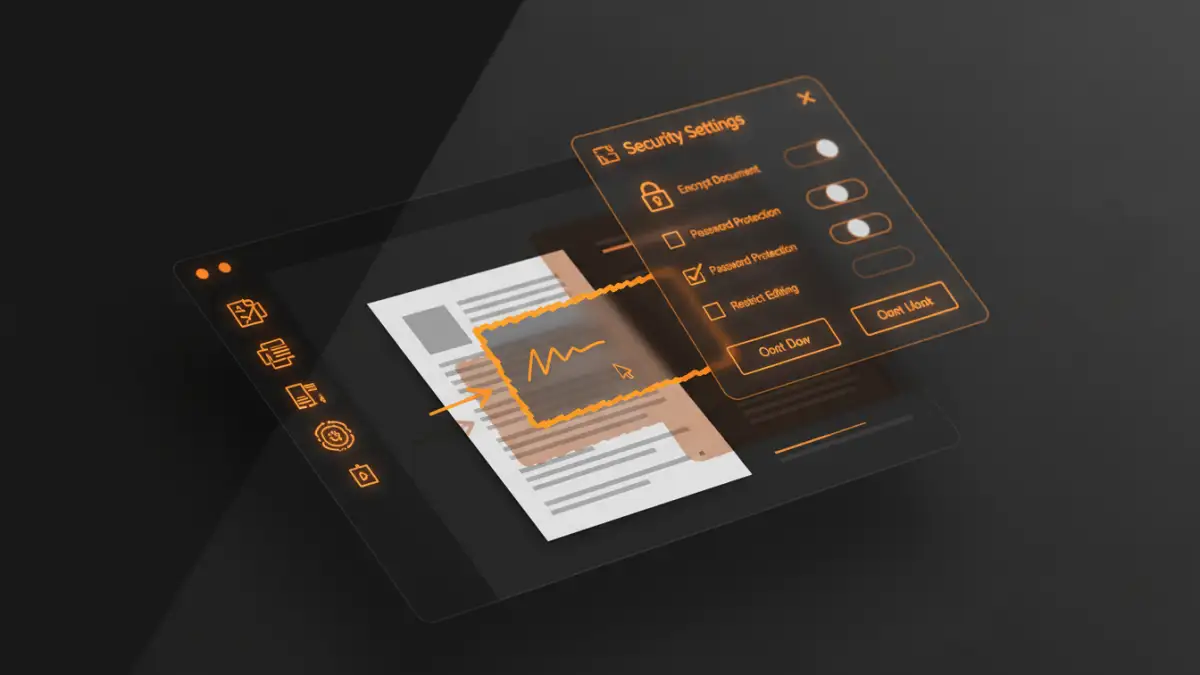
Fortunately, there are several robust methods to ensure that your annotations, alongside your core document content, remain confidential. The approach you choose often depends on the level of security required and the tools available within your organization.
From my perspective, a layered security strategy often yields the best results, combining document-level encryption with specific features for securing annotations. This ensures comprehensive protection against various threats.
Using Built-in PDF Editor Features
Many professional PDF editors, like Adobe Acrobat Pro, Foxit PhantomPDF, or Nitro Pro, offer comprehensive security features. When you encrypt a PDF, these tools usually provide options to control what actions are permitted, such as printing, editing, or even copying content. Crucially, they also allow you to apply encryption that covers not just the document content but also its associated metadata, including comments and form data.
The key is to always apply password protection or certificate-based encryption *after* all annotations have been made and to ensure that the encryption settings explicitly cover editing and content extraction. This way, any future access to the document, including its annotations, will require proper authentication, effectively creating encrypted pdf annotations.
Leveraging Specialized Document Security Tools
For organizations with higher security requirements or strict compliance mandates, specialized document security solutions offer more granular control. These tools often integrate with existing enterprise systems and provide advanced features like Digital Rights Management (DRM) or policy-based encryption.
Such solutions can enforce security policies centrally, ensuring that all document components, including comments and markup, are encrypted according to predefined rules. They can also track document access, revoke permissions remotely, and apply dynamic watermarks, offering a robust framework for document encryption comments and overall data protection.
Advanced Considerations for Data Protection
Beyond basic encryption, a proactive approach to data protection involves understanding how documents flow through your organization and identifying potential weak points. This includes not just the technical aspects but also the human element.
Having worked on various enterprise-level security implementations, I've seen that the most effective strategies combine technology with clear policies and user education.
Policy-Based Encryption and DRM
For large organizations, manually encrypting every document and ensuring consistency can be a challenge. Policy-based encryption systems automate this process by applying security rules based on document classification, user roles, or content sensitivity. This ensures that all documents, including those with sensitive annotations, adhere to corporate security standards.
Digital Rights Management (DRM) solutions take this a step further by controlling who can open, print, copy, or forward a document, even after it has been downloaded. This is particularly effective for protecting intellectual property and highly confidential information shared across various departments or external partners.
Auditing and Access Control
Implementing robust access control mechanisms is vital. This means defining who can view, edit, or annotate documents, and ensuring these permissions are regularly reviewed and updated. Modern PDF security solutions often include auditing features that log every access and modification, providing a clear trail for accountability and compliance.
Regular audits help identify unusual activity and potential breaches, allowing for quick remediation. This proactive monitoring is a critical component of a comprehensive data security PDF strategy.
Best Practices for Secure Document Workflow
Even the most advanced security tools are only as effective as the practices surrounding their use. Establishing clear guidelines and fostering a culture of security awareness are crucial for protecting sensitive data.
From my experience, human error is often the weakest link in any security chain. Therefore, continuous training and clear, repeatable processes are non-negotiable.
Training and User Awareness
Educate all users on the importance of document security, how to identify sensitive information, and the correct procedures for handling and annotating secure PDFs. This includes training on how to properly apply and verify encrypted pdf annotations, and the risks associated with unsecured comments.
Regular reminders and workshops can significantly reduce the likelihood of accidental data exposure. Make sure everyone understands their role in maintaining data confidentiality.
Regular Security Reviews
Periodically review your document security policies and tools to ensure they remain effective against evolving threats. This includes checking for software updates, assessing user permissions, and conducting penetration tests on your document workflows. As new vulnerabilities emerge, your security measures must adapt.
Ensure that all software used for creating, editing, and viewing PDFs is kept up-to-date, as updates often include critical security patches. This vigilance is key to a robust data protection strategy.
Document Security Method Comparison
| Method | Pros | Cons | Best For |
|---|---|---|---|
| Native PDF Encryption (e.g., Adobe Acrobat) | Widely supported, good for basic document and annotation protection, cost-effective if software is already owned. | Annotations may not automatically inherit encryption if added later without re-saving/re-encrypting, limited granular control. | General document sharing and protection where all content is secured at once. |
| Specialized PDF Security Tools (e.g., Foxit, Nitro) | Granular control over permissions, robust encryption for all document elements including annotations, often integrates with other security features. | Can be costly, requires specific software installation and training, may have compatibility issues across different viewers. | High-security environments, compliance with strict data regulations. |
| DRM/Policy-Based Solutions (Enterprise) | Centralized management, dynamic permissions, remote access revocation, automated policy enforcement. | Complex setup, significant investment, potential compatibility issues with legacy systems, can restrict user flexibility. | Enterprise-level data protection, intellectual property safeguarding, large-scale compliance. |
| Secure Cloud Platforms (with PDF features) | Collaboration features, version control, accessibility from anywhere, often includes built-in security layers. | Reliance on third-party security infrastructure, internet dependency, potential vendor lock-in, data residency concerns. | Collaborative projects with controlled access, remote teams, where ease of sharing is critical. |