When it comes to safeguarding sensitive information, the humble PDF document often plays a central role. From legal contracts and financial reports to personal identification and proprietary data, PDFs are ubiquitous. However, their widespread use also makes them a prime target for malicious actors. Understanding the current state of PDF security is crucial for individuals and organizations alike to implement effective protective measures.
Over my years in software engineering, I've seen firsthand how critical robust document security is. It's not just about applying a password; it's a multifaceted approach involving encryption, access controls, and awareness of evolving threats. This analysis aims to shed light on the dynamic landscape of PDF security, offering insights into where we stand and where we're heading.
Table of Contents
Understanding the Current PDF Security Landscape
The state of PDF security is a complex ecosystem influenced by technological advancements, user behavior, and the ever-present threat of cybercrime. While PDF files offer portability and consistent formatting across different platforms, their inherent structure can also present security challenges. Historically, PDFs were primarily secured using password protection, which, while a basic layer, can be circumvented with varying degrees of difficulty depending on the strength of the password and the methods employed.
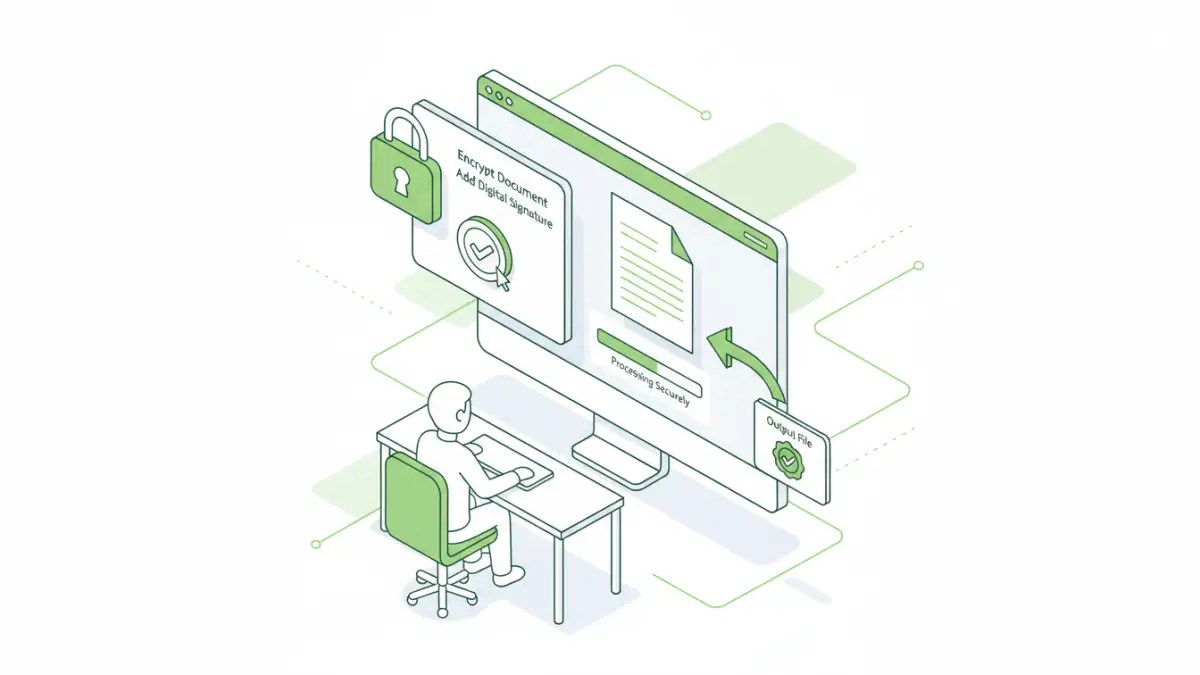
Modern PDF security involves more sophisticated techniques. This includes strong encryption algorithms, digital signatures for authenticity verification, and granular access controls. However, the effectiveness of these measures often depends on proper implementation and user diligence. My experience shows that even the strongest encryption can be weakened by poor password choices or social engineering tactics.
Emerging Threats and Vulnerabilities
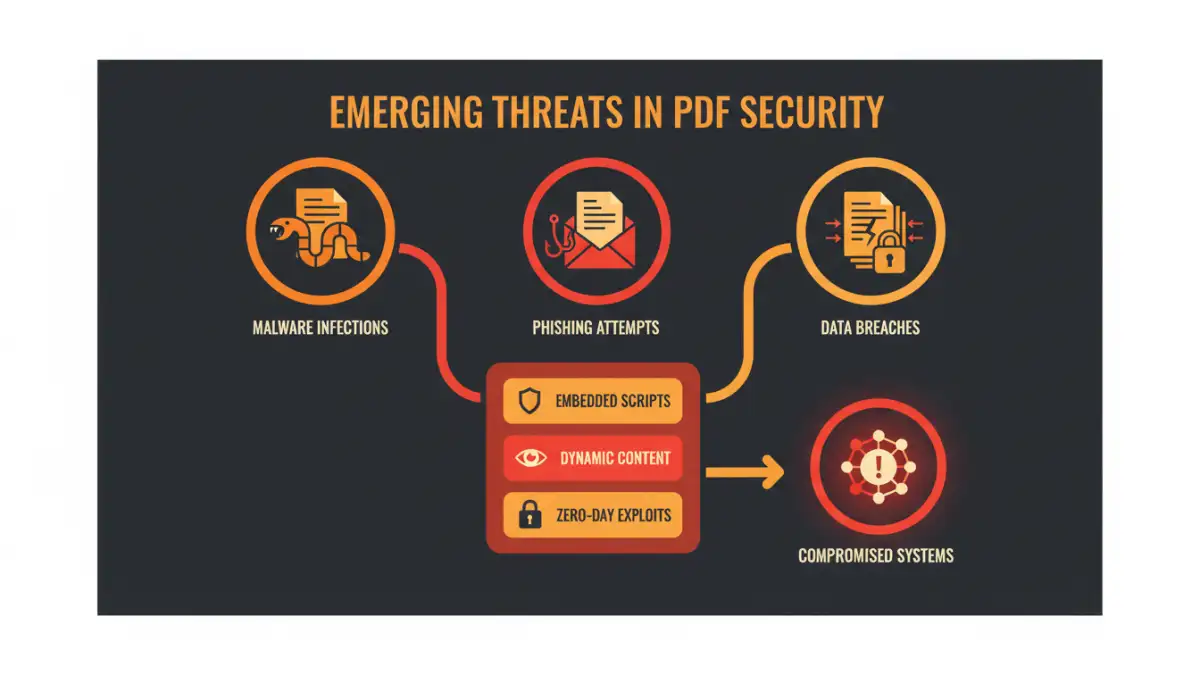
The threat landscape for PDF documents is constantly evolving. Attackers are not just targeting password protection but are also exploiting vulnerabilities within PDF reader software itself. Malicious PDFs can be crafted to embed malware, execute arbitrary code, or trick users into revealing sensitive information through phishing-like tactics.
Common Attack Vectors
One common attack vector involves embedding malicious JavaScript within a PDF. When opened by an unsuspecting user, this script can exploit vulnerabilities in the PDF reader to download and execute malware. Another method is through social engineering, where a PDF document is disguised as legitimate correspondence, containing links to malicious websites or prompts to enable macros that compromise the system.
Furthermore, the rise of sophisticated phishing campaigns means that attackers can craft highly convincing PDF documents designed to harvest credentials. This highlights the importance of not only securing the PDF itself but also educating users about safe handling practices.
Key PDF Security Trends
Several key trends are shaping the state of PDF security. There's a growing emphasis on end-to-end encryption, ensuring that documents remain protected from creation to final delivery and viewing. This moves beyond simple password protection to robust cryptographic methods.
Digital signatures are also becoming increasingly important. They provide a verifiable way to confirm the identity of the sender and ensure that the document has not been tampered with since it was signed. This is particularly vital in legal and financial sectors where document integrity is paramount. The adoption of advanced PDF security standards and protocols is also on the rise as organizations seek more comprehensive protection.
Best Practices for Secure PDF Usage
Implementing secure PDF usage requires a layered approach. First, always use strong, unique passwords for password-protected PDFs. Consider using a password manager to generate and store complex passwords. For sensitive documents, leverage encryption features offered by PDF editing software, choosing algorithms like AES-256 where available.
Always keep your PDF reader software updated to patch known vulnerabilities. Be cautious when opening PDFs from unknown or untrusted sources, and never enable macros or scripts within a PDF unless you are absolutely certain of its safety. Digital signatures should be used for critical documents to ensure authenticity and non-repudiation.
Analysis and Tool Comparison
Evaluating the tools and methods available for PDF security is essential. While built-in PDF reader features offer basic protection, dedicated software and online services provide more advanced capabilities. The choice often depends on the user's specific needs, budget, and technical expertise.
Comparison Table: PDF Security Methods
| Method | Pros | Cons | Best For |
|---|---|---|---|
| Built-in PDF Reader Password Protection | Free, universally available | Weak passwords are easily cracked, no true encryption | Basic access control |
| Desktop PDF Security Software (e.g., Adobe Acrobat Pro) | Strong encryption (AES-256), digital signatures, granular permissions | Often paid, can have a learning curve | Comprehensive security for sensitive documents |
| Online PDF Security Tools | Convenient, quick, no installation needed | Potential privacy concerns (uploading sensitive data), varying feature sets | Quick encryption or password removal for non-critical files |
| Digital Signatures | Verifies authenticity and integrity, non-repudiation | Requires a certificate authority, can be complex to set up | Legal documents, official correspondence |
The state of PDF security is not static; it requires continuous vigilance and adaptation. By understanding the threats, staying informed about trends, and implementing best practices, users can significantly enhance the protection of their digital documents.