Working with password-protected documents can be frustrating, especially when you need to share them securely but also allow for easy access under specific conditions. This is where understanding the strengths and weaknesses of different document security formats becomes crucial. While PDF has become a go-to for many, its encryption capabilities are just one piece of a larger puzzle when we talk about overall data protection.
From my perspective, having dealt with countless document workflows over the years, the choice of format and its associated security measures often depends on the specific use case, audience, and the sensitivity of the information. It's not always about the strongest encryption; it's about the right encryption for the right job, balanced with usability and accessibility.
Table of Contents
Understanding Document Security Formats
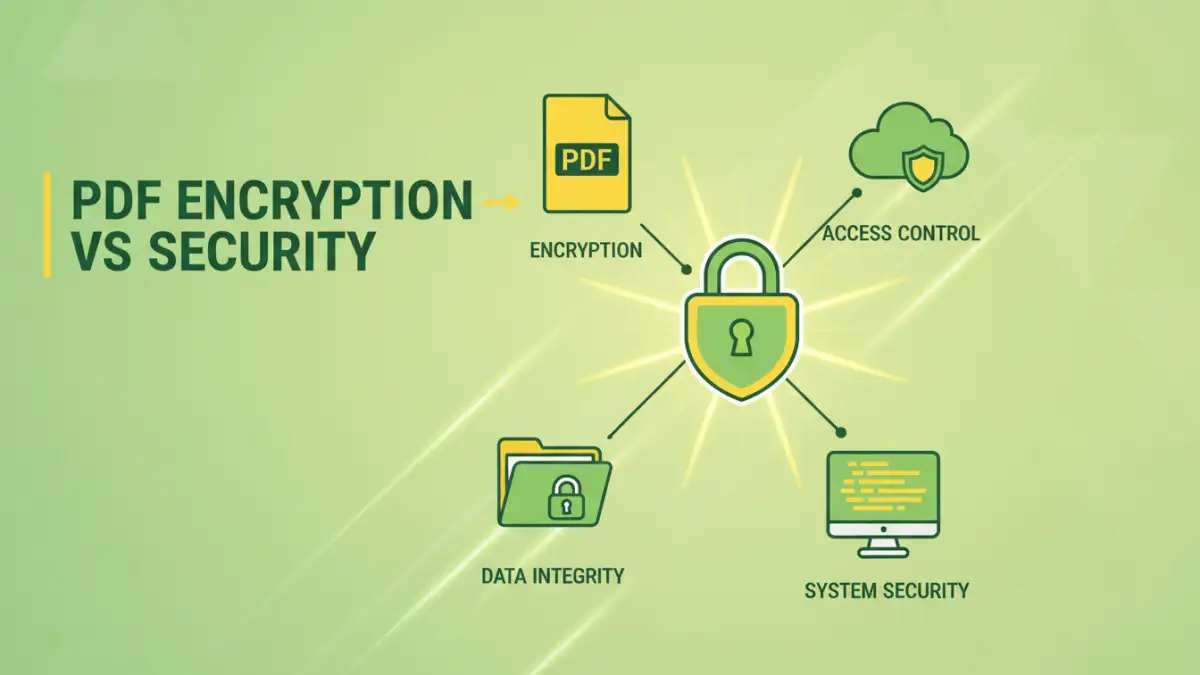
The digital landscape offers a variety of document formats, each with its own approach to security. While some formats are inherently more robust than others, the true strength often lies in the implementation of security features like encryption and access controls. Different file types serve different purposes, and their security mechanisms are designed to match those needs.
The Role of Encryption in Document Security
At its core, encryption is the process of encoding data so that only authorized parties can understand it. For documents, this means transforming readable content into an unreadable cipher using algorithms and a secret key, typically a password. This is a fundamental aspect of most secure document strategies, regardless of the file format.
PDF Encryption: The Standard Bearer

PDF (Portable Document Format) has long been a favorite for document sharing due to its ability to preserve formatting across different operating systems and devices. Its built-in encryption features are a significant part of its appeal for secure data transmission.
PDFs can be protected with passwords, which can restrict opening the document or limit specific actions like printing, copying text, or editing. The strength of this encryption has evolved, with modern PDFs supporting AES (Advanced Encryption Standard) which is considered very secure. When we talk about pdf encryption vs security, PDF's ubiquity and integrated password protection make it a strong contender for many standard business needs.
Password Protection Levels
PDFs offer distinct levels of password protection. A user password prevents the document from being opened without authorization, while an owner password controls permissions for actions like printing or copying. This granular control is one of the key advantages of using encrypted PDFs for collaboration or distribution.
Limitations of PDF Security
Despite its strengths, PDF encryption isn't foolproof. If a user password is weak or compromised, the document becomes vulnerable. Furthermore, there are tools and techniques that can potentially bypass or crack weaker PDF passwords, especially older encryption standards. Online PDF tools can also pose privacy risks if not vetted carefully.
Beyond PDFs: Alternative Security Options
While PDFs are popular, other document formats and security methods offer different advantages. Each has its own set of features designed for specific scenarios, making a direct pdf encryption vs security comparison essential.
Microsoft Office Suite Security
Microsoft Word, Excel, and PowerPoint documents can also be encrypted with passwords. Similar to PDFs, these applications allow for restricting access to the file itself or setting permissions for editing and printing. The security here is integrated directly into the application, offering a familiar experience for users of the Microsoft ecosystem. These file encryption methods are straightforward for everyday users.
Plain Text and Other Simple Formats
For extremely sensitive data where visual formatting is less critical, plain text files (.txt) or markdown (.md) can be secured using external encryption tools or software. These methods often involve encrypting the entire file or a folder containing the files, rather than relying on built-in application features. This approach offers a high level of data protection but can be less convenient for sharing.
Secure Cloud Storage and Collaboration Platforms
Modern data protection often involves cloud services. Platforms like Google Drive, Dropbox, or OneDrive offer their own security layers, including encryption at rest and in transit. Some platforms also provide granular sharing permissions and version control, adding another dimension to document security beyond simple file encryption.
Key Differences and Use Cases
The choice between PDF encryption and other document security formats depends heavily on your specific needs. Understanding these differences helps in making an informed decision about data protection.
When to Choose PDF Encryption
PDF encryption is ideal for situations where you need to share a document that looks exactly as intended, with controlled access. This includes distributing contracts, reports, invoices, or marketing materials where preserving layout is important. It's a good balance between security and usability for broad distribution.
When to Consider Other Methods
For highly sensitive internal documents that require robust protection and strict access controls, or when collaboration involves complex workflows, dedicated enterprise content management systems or advanced file encryption software might be more suitable. If you're sharing raw data or code, simple file encryption tools or cloud storage with strong access management might be preferable to a PDF.
Best Practices for Document Security
Regardless of the format, certain practices enhance overall document security. Implementing a multi-layered approach often provides the best defense against unauthorized access and data breaches.
Strong Passwords and Management
The most sophisticated encryption is useless with a weak password. Always use strong, unique passwords that are difficult to guess. Consider using a password manager to generate and store complex passwords securely. This is a foundational element for any secure pdf or other file type.
Regular Audits and Updates
Periodically review who has access to your sensitive documents and revoke permissions as necessary. Keep your software, including operating systems and applications, updated to patch any security vulnerabilities. This proactive approach is vital for maintaining robust data protection.
Educate Your Users
Human error is a significant factor in security breaches. Ensure that everyone who handles sensitive documents understands the importance of security protocols, how to use encryption features correctly, and how to identify potential threats like phishing attempts.
Comparison Table: Document Security Approaches
| Method | Pros | Cons | Best For |
|---|---|---|---|
| PDF Encryption (Password Protected) | Preserves formatting, widely compatible, integrated permissions | Vulnerable to brute-force attacks on weak passwords, limited by PDF reader capabilities | Sharing contracts, reports, invoices; controlled distribution |
| Microsoft Office Encryption | Familiar interface, integrated into common productivity tools | Platform-dependent (best within Microsoft ecosystem), can be bypassed with specific tools | Internal document sharing within organizations using Microsoft Office |
| External File Encryption Tools (e.g., VeraCrypt, 7-Zip) | High level of security, can encrypt entire drives or containers, format-agnostic | Requires separate software installation, can be less user-friendly for recipients, potential compatibility issues if recipient lacks software | Protecting highly sensitive files, large volumes of data, or entire drives for secure storage/transfer |
| Cloud Storage Security Features | Convenient access, encryption in transit and at rest, version history, granular sharing controls | Reliance on provider's security, potential privacy concerns, requires internet access | Collaborative projects, remote access, general document backup and sharing |