
I once had a project where I needed to share sensitive design mockups with a short-term contractor. I sent the link via email, the work got done, and we both moved on. Months later, I discovered the link was still active and publicly accessible to anyone who had it. It was a simple oversight, but one that could have led to a significant data leak. This is a common problem that highlights the need for better control over our shared digital assets.
Instead of relying on manual cleanup, a much safer approach is to use expiring document links. This method automatically revokes access after a set period, giving you peace of mind and ensuring your data remains private. It's a proactive security measure that's surprisingly easy to implement.
Table of Contents
Why Bother with Expiring Links?
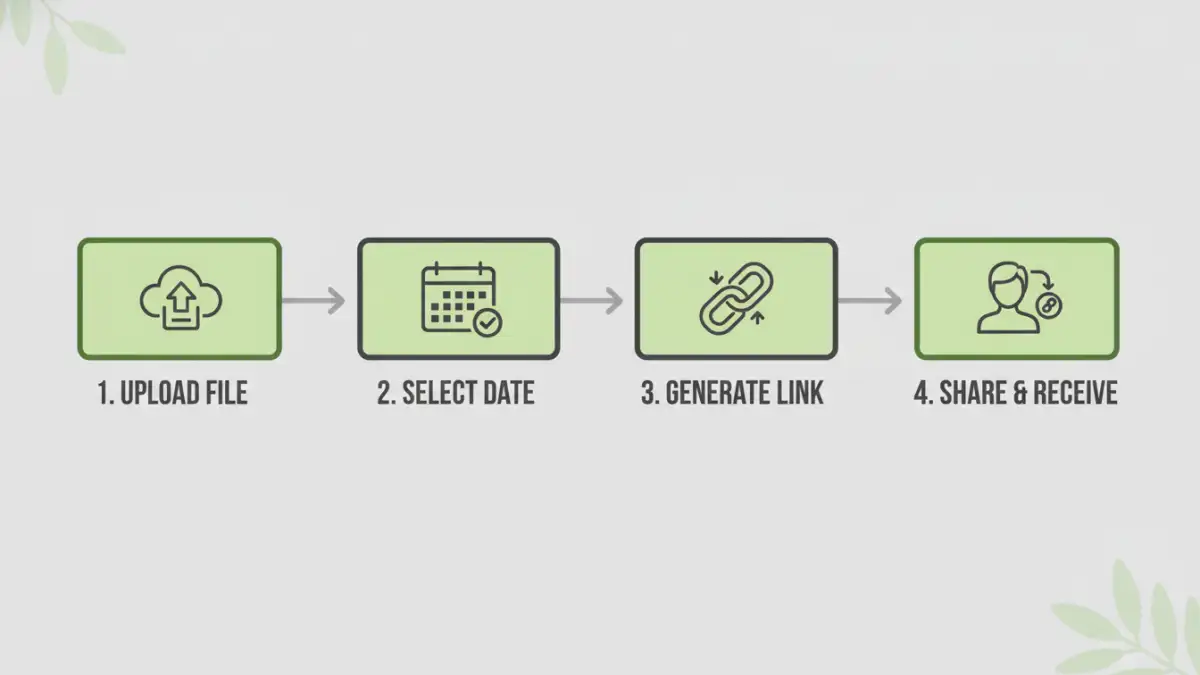
The core benefit of time-sensitive file sharing is control. When you share a file with a permanent link, you're essentially handing over a key that never expires. The recipient can access it, share it, and download it indefinitely. This creates a digital loose end that's easy to forget but hard to secure later.
Expiring links solve this by putting a timer on that access. This is crucial for compliance with regulations like GDPR, which mandate data minimization and purpose limitation. By ensuring data is only accessible for the time it's needed, you align with these principles. It also prevents 'link rot' from becoming a security vulnerability where old, forgotten links expose sensitive information.
Methods for Creating Time-Sensitive Links
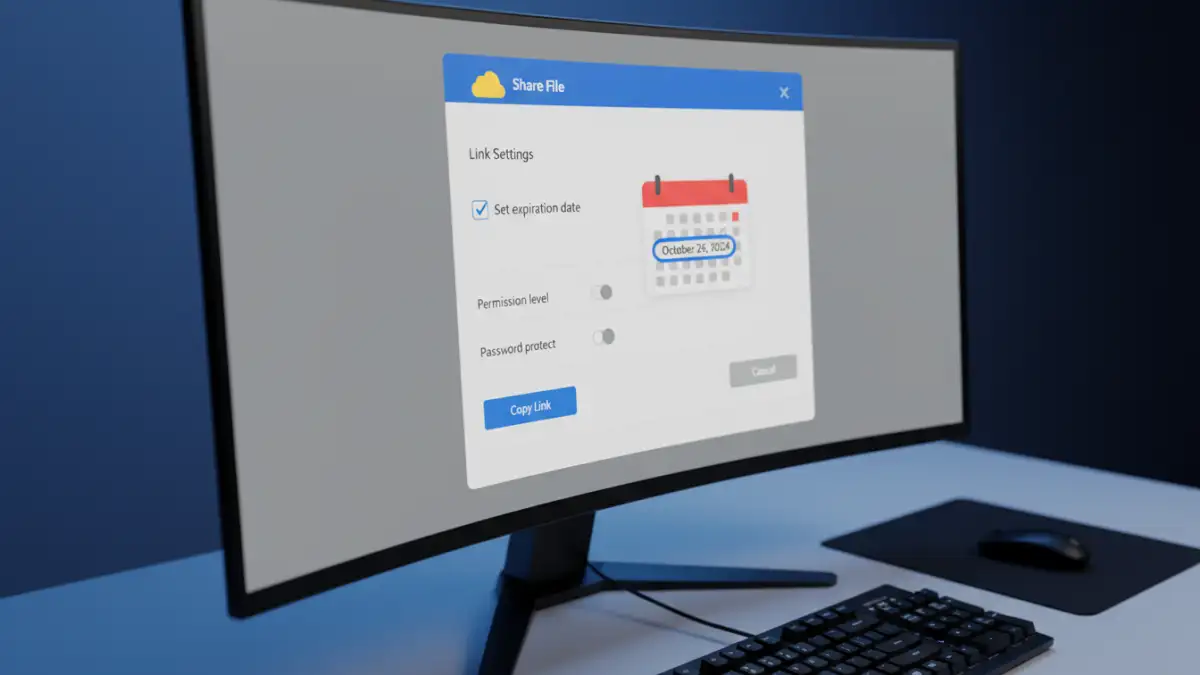
Fortunately, you don't need to build a custom system to create temporary file access. Many services you already use have this functionality built-in, while others specialize in it.
Using Cloud Storage Providers
Most major cloud storage services offer link expiration, though it's often a feature of their paid plans. The process is generally straightforward:
- Navigate to the file you want to share.
- Click the 'Share' button to generate a link.
- Look for 'Link settings' or an equivalent option.
- Find the 'Set expiration date' or 'Link expiry' feature and choose a date.
- Save the settings and copy the newly generated link.
Services like Google Drive (for Workspace accounts), Dropbox (Professional and Business plans), and OneDrive (Premium and Business plans) all provide this capability. It's a great option if your organization already subscribes to one of these ecosystems.
Dedicated Secure File Sharing Services
For more robust features, dedicated services are the way to go. Platforms like DocSend, Tresorit Send, and WeTransfer Pro are built specifically for secure and time sensitive file sharing. They go beyond simple expiration dates.
These services often include features like download notifications, detailed analytics on who viewed the document and for how long, email verification, and the ability to revoke access manually at any time. They provide a full audit trail, which is invaluable when dealing with contracts, financial reports, or intellectual property. While they come at a cost, the enhanced security and tracking capabilities are often worth the investment for critical documents.
Advanced Options and Security Layers
An expiration date is a great first step, but for truly sensitive information, you should consider adding more layers of protection. A multi-faceted approach ensures that even if a link is intercepted before it expires, the content remains secure.
Many services allow you to combine expiration dates with other security features. For example, you can require a password to open the link, disable the download option to make it view-only, or apply a dynamic watermark with the recipient's email and the access date. Combining these features creates a formidable barrier against unauthorized access and distribution.
Think of it as a digital safe. The expiring link is the key, but the password is the combination, and the download restriction is the reinforced door. Each layer makes it progressively harder for the wrong person to get to the contents.
Best Practices for Secure Sharing
Creating a secure documents access link is about more than just technology; it's also about process. Following a few simple best practices can significantly enhance your security posture.
First, always communicate the expiration date to the recipient. This sets clear expectations and prevents confusion when they can no longer access the file. Second, use the principle of least privilege: set the shortest reasonable expiration time. If a contractor only needs a file for one week, don't set the link to expire in a month.
Finally, periodically review your active shared links. Most services provide a dashboard where you can see all the files you've shared. Make it a quarterly habit to go through this list and manually revoke any links that are no longer necessary. This proactive management ensures no sensitive file is left exposed by mistake.
Sharing Method Comparison
| Method | Pros | Cons | Best For |
|---|---|---|---|
| Cloud Storage (e.g., Google Drive, Dropbox) | Integrated into existing workflows; easy to use. | Expiration features often require a paid plan; limited tracking. | Internal collaboration and sharing non-critical documents. |
| Dedicated Sharing Services (e.g., DocSend) | Advanced security, detailed analytics, full audit trail. | Subscription cost; can be overkill for simple tasks. | Sharing high-stakes documents like contracts or investor pitches. |
| Encrypted Email Attachments | Direct and universally compatible. | No expiration, no way to revoke access once sent. | Low-sensitivity files where post-delivery control is not needed. |
| Self-Hosted Solutions (e.g., Nextcloud) | Complete control over data and security settings. | Requires technical expertise to set up and maintain. | Organizations with strict data sovereignty requirements. |