
When managing sensitive information within a large organization, the ability to consistently and securely protect PDF documents is paramount. This isn't just about applying a password; it's about implementing a robust system that can handle vast volumes of documents, diverse user needs, and evolving security threats without compromising performance or user experience. My work often involves evaluating solutions that need to meet these stringent enterprise demands.
Choosing the right PDF security solution for a large enterprise requires looking beyond basic encryption. We need tools that can scale efficiently, integrate seamlessly with existing workflows, and provide granular control over document access and permissions. This assessment is critical to prevent data breaches and maintain compliance.
Table of Contents
Understanding Scalability in PDF Security
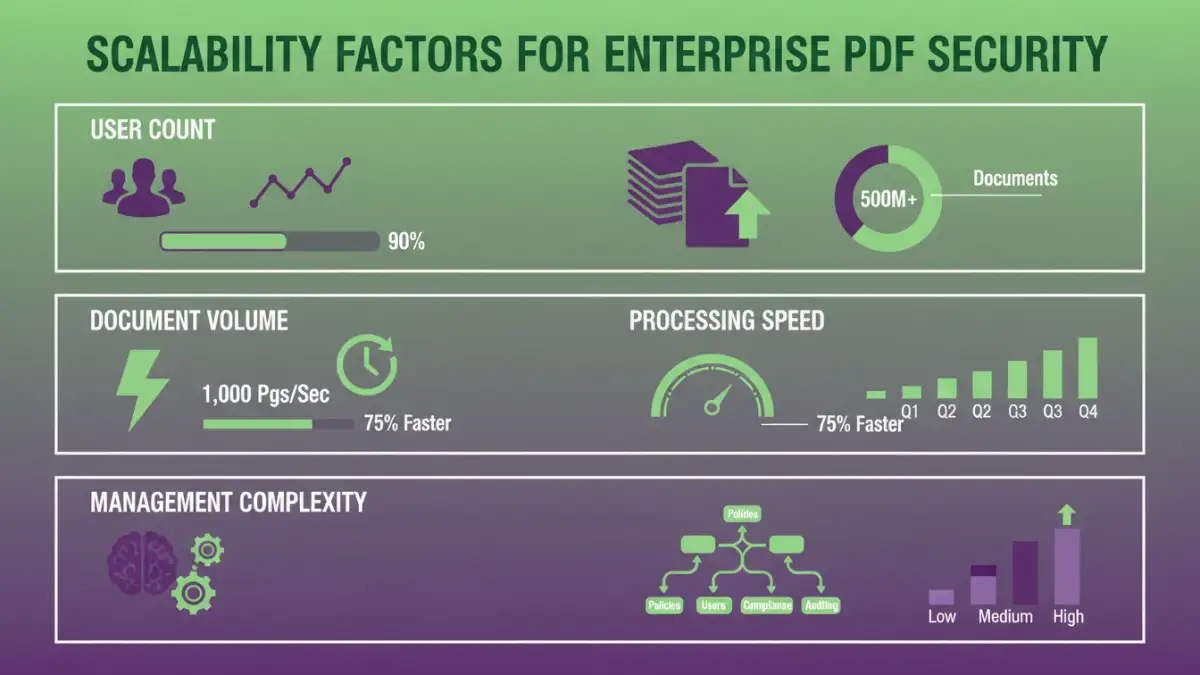
Scalability in the context of PDF security tools means the software's capacity to handle an increasing workload, number of users, and volume of documents without a significant drop in performance or a need for constant, disruptive upgrades. For a large enterprise, this translates to a tool that can grow with the organization's data needs.
A non-scalable solution might work for a small team, but for hundreds or thousands of employees generating and sharing sensitive PDFs daily, it can quickly become a bottleneck. This impacts productivity and can even lead to security shortcuts being taken by frustrated users.
Key Factors for Enterprise Assessment

When evaluating enterprise pdf security solutions, several core aspects demand attention. Beyond the basic password protection, consider the types of encryption supported, the ability to manage user permissions centrally, and the flexibility in applying security policies across different departments or document types.
Centralized Management and Policy Enforcement
A critical feature for any large organization is centralized management. This allows IT administrators to set, enforce, and monitor security policies across all users and documents from a single console. This is essential for maintaining consistent enterprise pdf security and ensuring compliance with internal regulations and external mandates.
User and Access Control
The ability to define granular user roles and permissions is vital. This includes controlling who can view, edit, print, or copy content within a PDF. For large-scale pdf protection, this often involves integration with existing identity management systems like Active Directory or LDAP for seamless user provisioning and de-provisioning.
Performance and Throughput
The sheer volume of documents processed in a large enterprise is a major consideration. A tool's ability to encrypt, decrypt, and manage PDFs quickly and efficiently directly impacts user productivity. We must assess how the tool performs under heavy load.
This involves looking at processing times for bulk operations, the impact on network bandwidth, and the system resources required. A solution that significantly slows down document handling can be as detrimental as a security flaw.
Feature Set and Granularity
While basic encryption is a starting point, enterprises often require more advanced features. This can include watermarking, digital signatures, redaction capabilities, and the ability to set expiration dates for document access.
Advanced Security Options
Assessing the depth of security features is crucial. Does the tool support industry-standard encryption algorithms? Can it enforce password complexity rules? Does it offer options for secure sharing and collaboration without compromising control?
Auditing and Reporting
For compliance and internal oversight, robust auditing and reporting capabilities are non-negotiable. The system should log all security-related actions, such as who accessed a document, when, and what actions were performed. This data is invaluable for security investigations and demonstrating compliance.
Integration and Deployment Models
A PDF security solution must fit into the existing IT infrastructure. This means considering integration with other enterprise systems like document management systems (DMS), cloud storage platforms, and email servers. The deployment model—whether on-premises, cloud-based, or hybrid—also plays a significant role in scalability and management.
Cloud-based solutions often offer inherent scalability, but on-premises options might be preferred for organizations with strict data sovereignty requirements. The ease of deployment and ongoing maintenance are also factors that influence the overall cost of ownership.
Security, Compliance, and Auditing
Ultimately, the primary goal is to secure sensitive data. This involves not only strong encryption but also adherence to relevant industry regulations (like GDPR, HIPAA, CCPA) and internal security policies. The document security software assessment should verify the tool's compliance certifications and its ability to facilitate audits.
Regular security updates and a clear roadmap for future development are also indicators of a vendor's commitment to maintaining a secure and reliable product. Understanding the vendor's security posture is as important as understanding the tool's capabilities.
Comparison Table: PDF Security Tool Scalability Factors
| Factor | Importance for Large Enterprises | Considerations for Scalability |
|---|---|---|
| Centralized Management | High - Essential for policy consistency and control | Ability to manage thousands of users and policies from one console. |
| User Permissions | High - Granular control over access rights is critical | Integration with existing identity management systems (AD, LDAP) for automated provisioning. |
| Encryption Strength | High - Must use industry-standard, robust algorithms | Performance impact of strong encryption on high volumes; key management. |
| Processing Speed | Medium to High - Impacts user productivity significantly | Throughput for bulk operations, concurrent processing capabilities. |
| Auditing & Reporting | High - Crucial for compliance and investigations | Detailed logging of all security-related events; customizable reports. |
| Integration Capabilities | Medium to High - Seamless fit into existing workflows | APIs for integration with DMS, cloud storage, email; compatibility with OS and browsers. |
| Deployment Options | Medium - Flexibility for different IT environments | On-premises, cloud, or hybrid models to meet specific security and infrastructure needs. |