
When preparing a document for public release, especially one that originated internally or contains confidential details, ensuring sensitive information is properly removed is paramount. Over my years working in software engineering, I've seen firsthand how a seemingly innocuous piece of data—a name, an address, a financial figure—can lead to significant privacy breaches or compliance issues if not handled with care. This process, often referred to as redaction, is a critical step in data security and privacy protection.
The goal is to permanently remove specific information so it cannot be recovered, distinguishing it from simply blacking out text that might still be hidden in the document's metadata or layers. Failing to do this correctly can have serious consequences, from legal penalties to reputational damage. It's not just about making information invisible; it's about making it irretrievable.
Table of Contents
Why Redact Sensitive Information?
The primary driver for redacting sensitive information is to comply with privacy regulations like GDPR, HIPAA, or CCPA. These laws mandate the protection of personal identifiable information (PII) and other sensitive data. Beyond legal requirements, redacting data helps maintain trust with clients, partners, and the public by demonstrating a commitment to privacy protection.
Compliance and Legal Obligations
Many industries are subject to strict data protection laws. Failure to adhere can result in hefty fines and legal action. For example, healthcare organizations must protect patient records, and financial institutions must safeguard customer financial details. Redaction is a key tool in meeting these obligations.
Methods for Redaction
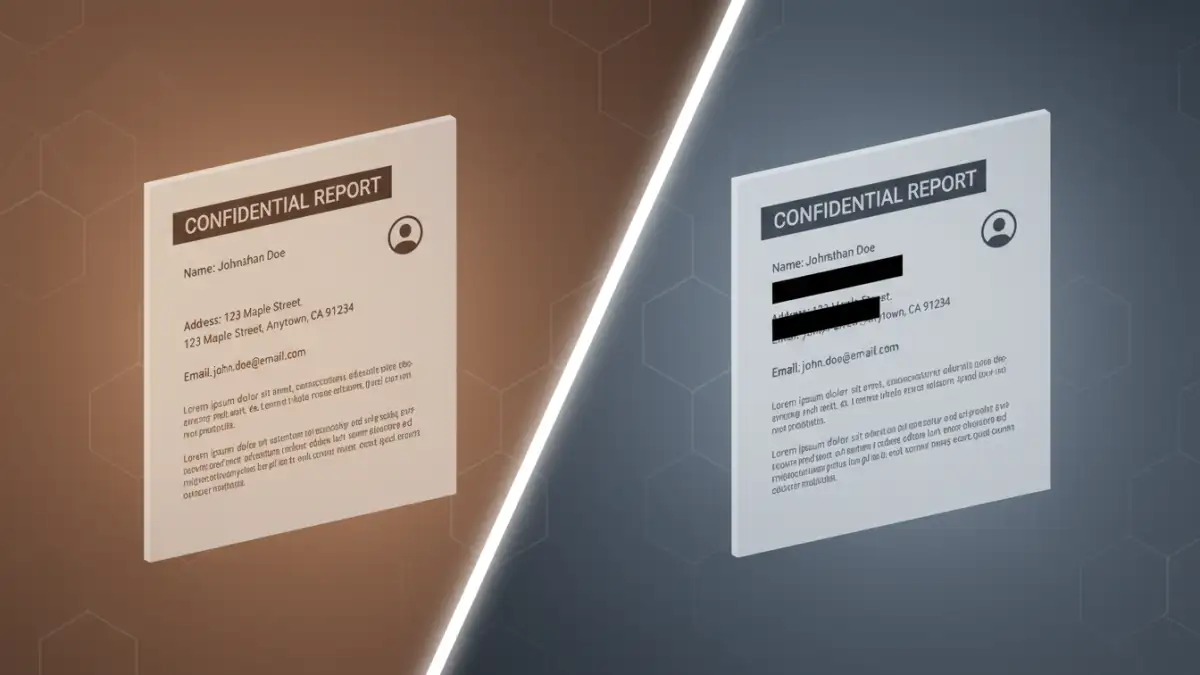
There are several approaches to censor document information, ranging from simple visual cover-ups to more robust digital methods. Understanding these distinctions is crucial for selecting the right technique for your needs. Each method has its own strengths and weaknesses in terms of effectiveness, ease of use, and permanence.
Manual Redaction (Visual Cover-up)
The simplest, though often least secure, method is to use a PDF editor to place a solid black box over the sensitive text. While this makes the information visually disappear, it's generally not sufficient for true redaction. The underlying text or image data often remains intact and can be revealed using simple tools or by copying text from the document. I've encountered situations where this method was used, only for the original data to be easily recovered, highlighting its limitations.
Using PDF Editing Software Features
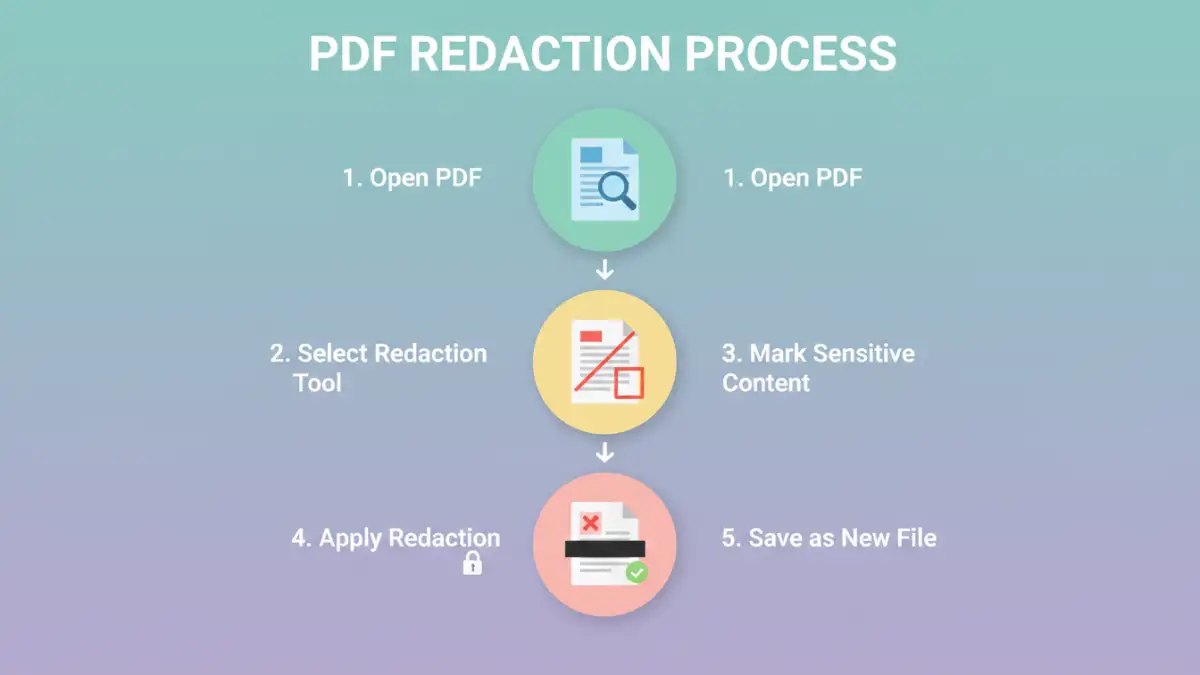
Most professional PDF editors offer dedicated redaction tools. These tools are designed to permanently remove content, including text, images, and metadata, from a document. When you apply redaction using these features, the software typically replaces the selected content with a solid color or removes it entirely, ensuring it's not recoverable. This is a far more reliable approach for ensuring data privacy.
Using Dedicated Software Tools
For organizations or individuals who frequently handle sensitive documents, investing in specialized software for data masking pdf is highly recommended. These tools are built with robust redaction capabilities and often include features for batch processing, audit trails, and advanced security settings. They streamline the process and minimize the risk of human error.
Popular Redaction Software
Adobe Acrobat Pro is a well-known example, offering a comprehensive set of redaction tools. Other popular options include Foxit PhantomPDF, Nitro PDF Pro, and various open-source tools that might require more technical expertise. The choice often depends on the volume of documents, budget, and specific features required.
Online Redaction Tools
There are also online services that offer redaction capabilities. While convenient for occasional use, caution is advised regarding privacy. Uploading sensitive documents to third-party online platforms carries inherent risks. Always ensure the service has a strong privacy policy and is reputable before entrusting them with confidential data. For truly sensitive information, desktop software is generally preferred.
Best Practices for Redaction
Regardless of the method chosen, adhering to best practices is essential for effective redact sensitive pdf data. This ensures that the redaction is permanent and that no sensitive information is inadvertently exposed. A systematic approach minimizes risks and maximizes security.
Review and Verify
Always double-check your work. After redacting, thoroughly review the document to ensure all sensitive information has been removed. Sometimes, information can be hidden in headers, footers, comments, or metadata. A careful, systematic review is critical before sharing.
Save as a New File
Crucially, always save your redacted document as a new file. Never overwrite the original document. This preserves the original, unredacted version in case of errors or if you need to re-access the original information later. It also provides a fallback if the redaction process is found to be incomplete.
Understand Metadata
PDFs can contain hidden metadata, such as author names, creation dates, and revision history. Most professional redaction tools have options to remove this metadata as part of the redaction process. Ensure this option is selected to achieve complete privacy protection pdf.
Common Mistakes to Avoid
Even with the best intentions, mistakes can happen. Being aware of common pitfalls can help you avoid them. These errors often stem from a lack of understanding of how PDFs store information or from rushing the process.
Over-reliance on Visual Black Boxes
As mentioned, simply drawing a black box over text is insufficient. This is a common mistake that fails to achieve true redaction. Always use tools designed for permanent removal.
Not Checking All Layers or Metadata
Information can be embedded in different layers within a PDF or stored in metadata fields. Failing to check and remove these can leave sensitive data exposed. A comprehensive approach is necessary.
Using the Wrong Tool
Employing a basic text editor or a simple image editor to redact a PDF is rarely effective. Specialized PDF redaction tools are designed to handle the complexities of the PDF format and ensure permanent data removal.
Comparison Table
| Redaction Method | Ease of Use | Security Level | Permanence | Best For |
|---|---|---|---|---|
| Visual Black Box | Very Easy | Low | Low | Non-sensitive visual masking |
| PDF Editor Redaction Tool | Moderate | High | High | Most general document sharing |
| Dedicated Redaction Software | Moderate to High | Very High | Very High | Frequent, high-security needs |
| Online Redaction Tools | Easy | Moderate (depends on provider) | Moderate to High | Occasional, non-critical documents |