
When a project wraps up, the focus naturally shifts to the next challenge. However, overlooking the final step of managing shared documents can leave sensitive information vulnerable. I've seen firsthand how easily access can remain open long after it's needed, creating potential security gaps.
Ensuring that only authorized individuals can access project files, even after collaboration has ended, is crucial for maintaining data integrity and privacy. This involves a proactive approach to revoking access, not just relying on the assumption that systems will automatically clean up.
Table of Contents
Understanding the Need
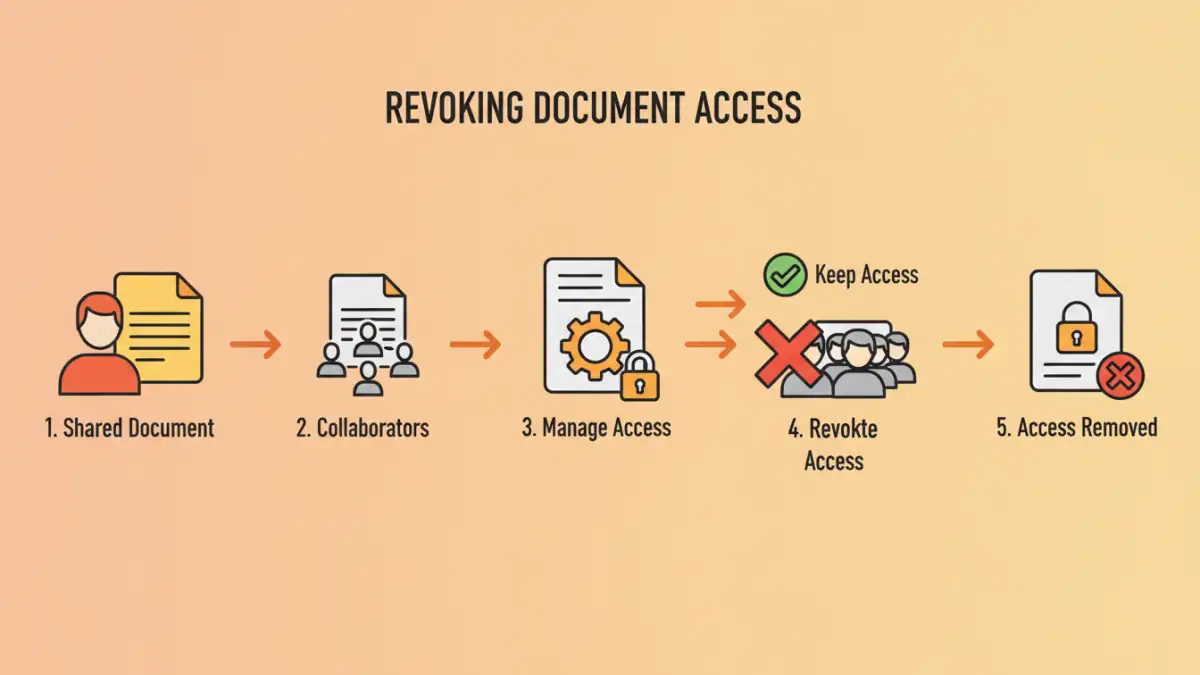
Collaborating on projects often involves sharing documents extensively. While essential for teamwork, this sharing creates a trail of access permissions. Once the project is finalized, these permissions become liabilities if not managed properly. Unnecessary access can lead to data leaks, accidental modifications, or even malicious intent.
Think of it like leaving keys to an office building with everyone who ever visited. It's convenient during the build phase, but once construction is complete, you need to collect those keys to secure the premises. The same principle applies to digital documents and access controls.
Practical Methods to Revoke Access

The specific approach to revoke document access depends heavily on the platform or system used for sharing. Most cloud storage services, collaboration suites, and even basic file-sharing tools offer built-in functionalities to manage permissions.
Shared Drive Management
If you're using a shared drive like Google Drive, Dropbox, or OneDrive, you can typically go into the sharing settings for individual files or folders. Here, you can remove specific users or change their access level from 'editor' to 'viewer', or entirely remove their permission. It's vital to regularly audit these settings, especially after project milestones or completion.
Collaboration Platform Controls
Platforms like Microsoft Teams, Slack, or Asana often integrate file sharing. Access within these platforms is usually tied to team membership or specific project channels. To unshare secure files, you might need to remove users from the relevant team or project group, or adjust the sharing settings within the integrated file storage (e.g., SharePoint for Teams). Understanding the permission hierarchy within these complex systems is key.
Email Attachments and Links
While less common for active project collaboration, documents shared via email attachments or direct links pose a unique challenge. For attachments, there's no direct way to revoke access once sent. The best practice here is to use version control and inform recipients that older versions are no longer valid. For shared links, if the platform allows, you can often disable the link or change its access settings.
Advanced Control Strategies
Beyond the basic unsharing of individual files, more robust document access management strategies can be employed. This is particularly important for sensitive or proprietary information that requires stringent control even after project completion.
Time-Limited Access
Some advanced sharing tools or enterprise-level solutions allow you to set expiration dates for shared links or permissions. This automates the process of revoking access, ensuring that documents become inaccessible after a predetermined period. This is incredibly useful for temporary collaborations or when sharing sensitive data with external partners.
Role-Based Access Control (RBAC)
Implementing RBAC ensures that users only have access to the documents they need based on their role within the organization or project. When a project ends, a user's role might change, automatically revoking their access to project-specific files without manual intervention. This requires a well-defined organizational structure and access policy.
Post-Sharing Security Best Practices
To effectively control shared documents, adopting certain best practices is essential. These practices help maintain a secure environment and prevent unauthorized access long after the initial sharing.
Regular Audits
Schedule regular audits of your shared documents and their access permissions. This should be a routine part of your document management lifecycle, not just an afterthought. Look for outdated links, permissions granted to former employees or external collaborators, and overly broad access levels.
Clear Documentation
Maintain clear documentation on who has access to what and why. This helps in tracking permissions and makes it easier to identify who needs to have their access revoked. Documenting the sharing process also aids in onboarding new team members and ensures transparency.
User Training
Educate your team on the importance of data security and proper document sharing protocols. Train them on how to share files securely and, crucially, how to manage and revoke access when necessary. Awareness is a powerful tool in preventing accidental data exposure.
Key Considerations for Document Management
When implementing strategies to revoke document access, several factors come into play. The type of document, the sensitivity of the data, and the intended audience all influence the best approach.
For highly sensitive data, consider using encryption in addition to access controls. This adds an extra layer of security, ensuring that even if access is inadvertently granted, the data remains protected. Always ensure that your chosen methods for document access management align with your organization's overall security policies and compliance requirements.
Comparison Table: Document Access Management Methods
| Method | Pros | Cons | Best For |
|---|---|---|---|
| Manual Permission Revocation | Precise control, no extra cost | Time-consuming, prone to human error | Small teams, infrequent sharing |
| Time-Limited Links | Automated, convenient for external sharing | Limited flexibility once set, may not be available on all platforms | Temporary access needs, public-facing links |
| Role-Based Access Control (RBAC) | Scalable, consistent security, automated | Requires initial setup and ongoing management of roles | Medium to large organizations, complex structures |
| Platform-Specific Tools (e.g., SharePoint, Google Workspace) | Integrated, feature-rich, often robust security | Can have a learning curve, platform lock-in | Organizations already invested in these ecosystems |