
Sharing structured documents, like configuration files, data logs, or API specifications, often involves sensitive information. Ensuring these files are shared securely is paramount to protecting data privacy and preventing unauthorized access. My experience has shown that many teams overlook the specific security needs of structured data formats, leading to potential vulnerabilities.
This guide will walk you through various methods and best practices for securely sharing these critical files, ensuring your data remains protected throughout the process.
Table of Contents
Understanding Secure Document Sharing
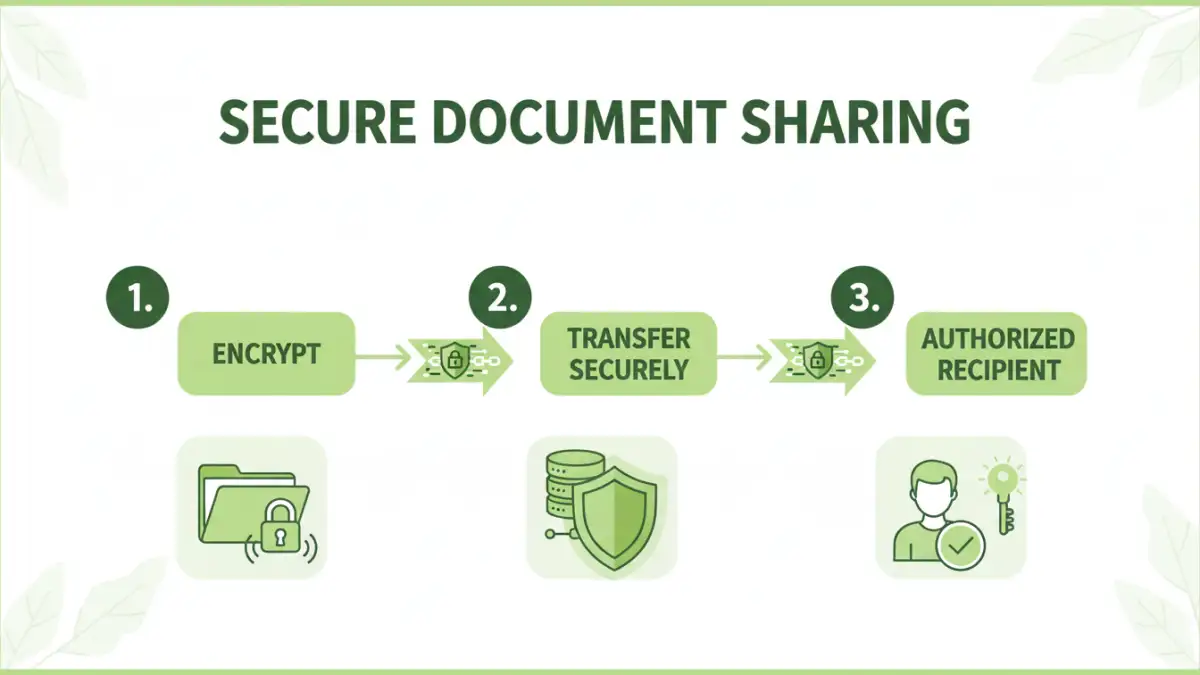
Secure document sharing is not just about sending a file; it's about implementing a process that safeguards the integrity and confidentiality of the data within. Structured documents, by their nature, can contain precise details about systems, configurations, or sensitive business logic. Mishandling them can expose critical information.
The goal is to ensure that only authorized recipients can access and understand the content. This involves considering encryption, access controls, and secure transmission channels.
Key Concepts in File Sharing Security
At its core, file sharing security relies on several pillars. Encryption scrambles data so it's unreadable without a key, while access control limits who can view or modify files. Secure file transfer protocols, like SFTP or HTTPS, ensure data isn't intercepted during transit. Understanding these concepts is the first step toward robust data privacy.
Practical Sharing Methods

There are several effective ways to share structured documents securely, ranging from simple encryption to leveraging specialized platforms. The best method often depends on the sensitivity of the data, the number of recipients, and your existing infrastructure.
Method 1: Encryption and Password Protection
This is a widely accessible method. You can encrypt entire archives (like ZIP files) or individual documents using built-in operating system features or third-party tools. Applying a strong, unique password is crucial. For structured data, consider encrypting files that contain API keys, database credentials, or sensitive configurations.
Method 2: Using Secure File Sharing Platforms
Platforms like Dropbox Business, Google Workspace, or dedicated secure file-sharing services offer robust security features. These typically include end-to-end encryption, granular access controls, audit logs, and secure sharing links. They are excellent for collaborative environments or when sharing with multiple external parties.
Method 3: Version Control Systems with Access Control
For developers and technical teams, version control systems (VCS) like Git, often hosted on platforms like GitHub, GitLab, or Bitbucket, are invaluable. You can manage access to repositories, ensuring only designated team members can view or clone specific branches containing structured documents. This is particularly effective for code-related configuration files or API definitions.
Advanced Security Techniques
Beyond basic encryption, several advanced techniques can bolster your secure document sharing strategy. Consider using Public Key Infrastructure (PKI) for digital signatures and encryption, which provides a higher level of assurance and non-repudiation. For extremely sensitive data, implementing data loss prevention (DLP) solutions can monitor and control data movement, preventing accidental or malicious exfiltration.
Another approach involves using secure containers or virtual data rooms (VDRs) for highly confidential exchanges, especially in legal or financial contexts. These environments offer strict controls over document access, printing, and sharing, often with watermarking capabilities.
Best Practices for Data Privacy
Regardless of the method chosen, adhering to best practices is key for maintaining data privacy. Always use strong, unique passwords and consider using a password manager. Regularly review access permissions for shared files and platforms. Educate your team on the importance of data security and the correct procedures for sharing sensitive information.
Minimize the amount of sensitive data you share whenever possible. If a file contains more information than necessary, create a version with only the required data. This principle of least privilege extends to the data itself.
Comparison Table
| Method | Pros | Cons | Use Case |
|---|---|---|---|
| Password-Protected Archives (ZIP/RAR) | Widely compatible, easy to implement for single files | Password can be weak if not chosen carefully; risk of brute-force attacks | Sharing individual configuration files or logs with known recipients |
| Secure File Sharing Platforms (e.g., Dropbox Business) | Granular access control, audit trails, collaborative features | Requires subscription, reliance on third-party security | Team collaboration, sharing with multiple external partners |
| Version Control Systems (Git-based) | Excellent for code-related structured data, robust access control, history tracking | Steeper learning curve for non-technical users, not ideal for binary files | Sharing API specifications, configuration files within development teams |
| End-to-End Encrypted Messaging Apps (e.g., Signal) | High security for transit, easy for quick exchanges | File size limits, not designed for large or complex document structures | Sharing small, sensitive snippets of data or temporary files |