Working with password-protected documents can be frustrating, especially when you've forgotten the password or inherited a file without one. Over my years in software engineering, I've encountered numerous situations where accessing vital information was blocked by a forgotten passphrase. Fortunately, there are several free tools and techniques that can help you regain access to your files without resorting to expensive software or complex procedures.
This guide will walk you through some of the most effective free methods and tools to help you unlock password protected files. We'll cover different file types and scenarios, providing practical advice to get your data back.
Table of Contents
Understanding File Passwords and Encryption
Before diving into recovery methods, it's crucial to understand how file protection works. Most password protection relies on encryption, a process of scrambling data so it can only be read with a specific key – in this case, your password. The strength of this encryption varies significantly depending on the software used and the complexity of the password itself.
Types of File Protection
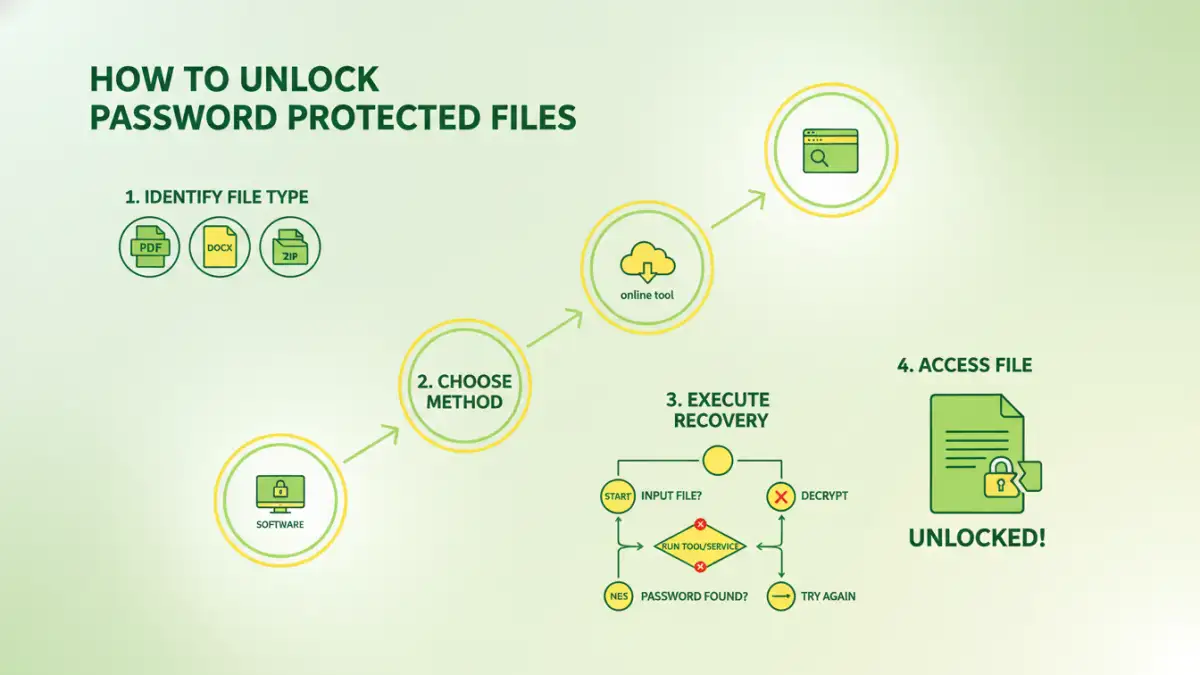
Different file types employ various protection mechanisms. For instance, Microsoft Office documents (Word, Excel, PowerPoint) use built-in password features. PDFs often have their own encryption standards, and archive files like ZIP or RAR can also be password-protected. Understanding the specific type of protection is the first step toward choosing the right recovery method.
Browser-Based Techniques

For certain types of password-protected files, particularly PDFs that were encrypted with a password but not a certificate, there are clever browser-based workarounds. These methods often involve printing the document to a new PDF, effectively stripping the original password protection in the process. It’s a surprisingly effective way to unlock protected file if the encryption isn't too robust.
The PDF Print-to-PDF Method
If you can open the PDF with the password and have the necessary permissions, you can often 'print' it to a new PDF file. Open the password-protected PDF, enter the password, and then go to File > Print. In the printer selection dialog, choose 'Microsoft Print to PDF' or a similar virtual PDF printer. Saving this 'printed' version will create a new PDF file that typically does not retain the original password protection.
Free Online File Recovery Tools
The internet is brimming with free tools designed to help users open protected file. These online services are convenient because they don't require any software installation. You simply upload your file, and the service attempts to remove the password or recover it.
Popular Online Options
Several websites offer free password recovery for various file types, including PDFs, Word documents, and ZIP archives. Some well-known names include Smallpdf, iLovePDF, and Online-Convert.com. These platforms often use brute-force or dictionary attacks, or exploit known vulnerabilities in older encryption standards. However, it's critical to be aware of the privacy implications when uploading sensitive documents to third-party websites.
Desktop Software for File Recovery
For more complex scenarios or when dealing with highly sensitive data, desktop software often provides more power and security than online tools. These applications are installed on your computer and can perform more intensive recovery operations.
Open-Source and Free Software
There are several free and open-source tools available that can assist in file recovery. For instance, tools like John the Ripper or Hashcat can be used for password cracking if you can extract the file's hash. For specific file types like Microsoft Office, specialized free tools or scripts might exist, though they often require a certain level of technical expertise to use effectively. These tools can be invaluable for anyone who forgot file password and needs a robust solution.
Best Practices and What to Avoid
When attempting to unlock password protected files, it's essential to proceed with caution. Always ensure you have the legal right to access the file you are trying to unlock. Using these tools on files you don't own can have legal consequences.
Security and Privacy Considerations
Be wary of online tools that promise instant recovery for a fee or require you to download suspicious software. Stick to reputable services and open-source options. If privacy is a major concern, prefer desktop applications that process files locally. Remember, the goal is to recover your data, not to expose it to new risks.
Comparison Table: Free File Recovery Methods
| Method | Pros | Cons | Best For |
|---|---|---|---|
| Browser Print-to-PDF | Free, no software install, fast for simple PDFs | Only works if you can open the file, limited to specific PDF encryption types | Opening password-protected PDFs you can already view |
| Online File Recovery Tools | Easy to use, wide range of file types supported, no installation | Privacy concerns, potential for data leaks, limited success on strong encryption | Quick recovery of common file types with weak passwords |
| Desktop Software (e.g., John the Ripper) | Powerful, more control, processes locally (better privacy) | Requires technical knowledge, can be slow, setup complexity | Advanced users, strong encryption, recovering complex passwords |
| Password Managers (for future use) | Securely stores and generates strong passwords, prevents forgetting | Doesn't help with existing forgotten passwords, requires setup | Preventing future password loss, long-term security |