I recently helped a colleague who couldn't access an important encrypted TAR file containing years of project documentation. The password, once thought to be safely stored, had vanished, leaving them in a difficult situation. This scenario is far too common in our field, highlighting a critical vulnerability: the loss of archive passwords. When you encrypt a TAR file, you're creating a robust barrier, but that barrier becomes impenetrable even to you if the key is lost.
Table of Contents
Understanding TAR File Encryption
TAR files are a common way to bundle multiple files into a single archive, often combined with compression tools like Gzip or Bzip2. While TAR itself doesn't offer encryption, it's frequently used in conjunction with tools like GnuPG (GNU Privacy Guard) to create secure, encrypted archives. Understanding this process is the first step in ensuring you never lose your TAR file passwords.
When you encrypt a TAR file, you're essentially creating a secure container. This container can only be opened with the correct passphrase, making it crucial to manage this passphrase with extreme care. The strength of your encryption, and thus the security of your data, directly depends on the strength and careful management of this password.
Why Encryption Matters
In today's interconnected world, protecting sensitive data is paramount. Whether it's confidential client information, proprietary code, or personal records, encryption provides a vital layer of defense against unauthorized access. A well-encrypted TAR file ensures that even if the archive falls into the wrong hands, its contents remain unreadable.
From a compliance perspective, many industry regulations (like GDPR, HIPAA) mandate strong data protection measures. Encrypting archives before transferring or storing them helps meet these requirements, mitigating legal and reputational risks associated with data breaches. It's not just about security; it's about responsibility.
Common TAR Encryption Methods
While TAR itself is an archiving utility, encryption is typically applied using external tools. GnuPG is the most prevalent and robust method for encrypting TAR archives. You might create a .tar.gz archive first, then encrypt it using GnuPG with a symmetric passphrase.
Another approach involves using encrypted file systems or containers, such as LUKS on Linux, where the entire storage volume is encrypted. While this secures all files within that volume, it’s a different layer of security compared to encrypting individual TAR files. For specific archive protection, GnuPG remains a go-to solution, requiring careful password handling to avoid losing password access.
Proactive Strategies for Password Security
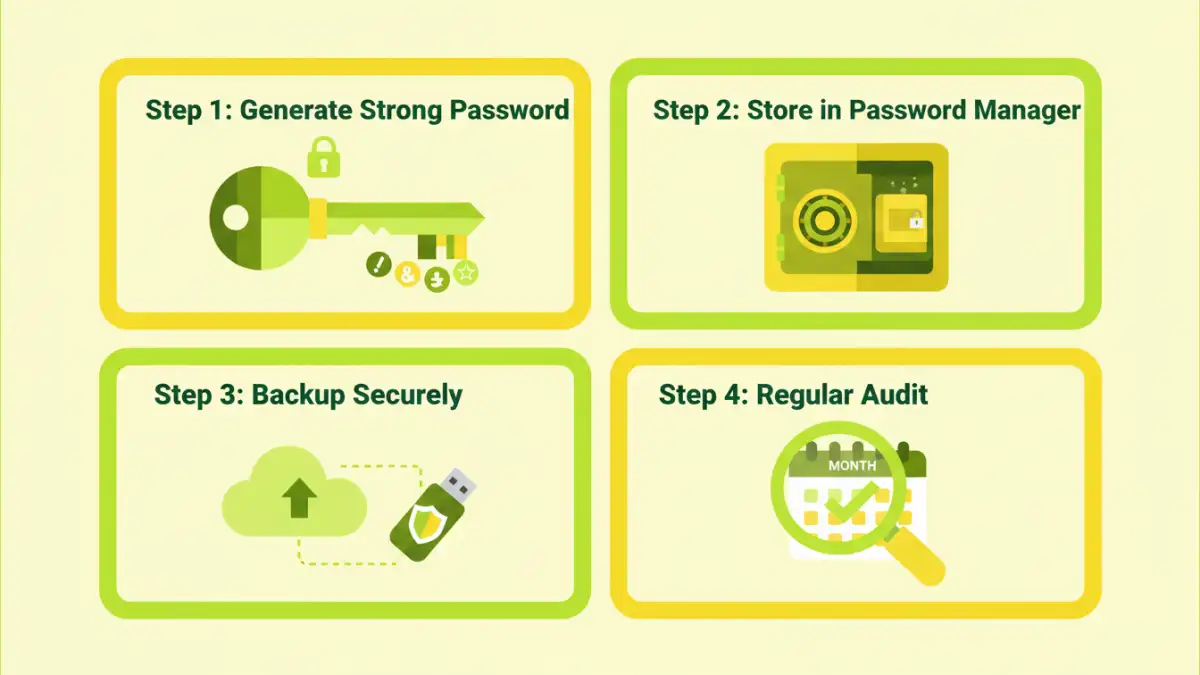
Prevention is always better than cure, especially when it comes to sensitive data. Implementing proactive strategies from the outset can significantly reduce the risk of losing your TAR file passwords. This involves not just how you create passwords, but also how you initially record and store them.
Think of it as setting up a secure vault; the stronger the vault's combination and the more securely you store that combination, the less likely you are to face a lockout scenario. These initial steps lay the foundation for robust data protection.
Strong Password Creation
The first line of defense is a strong, unique password. Avoid easily guessable phrases, personal information, or common dictionary words. A robust password should be long (at least 12-16 characters), complex (a mix of uppercase, lowercase, numbers, and symbols), and completely random.
I often use a passphrase approach, chaining several unrelated words together with symbols and numbers interspersed, making it both strong and memorable. Tools like password generators within a manager can also create highly secure, random strings that are virtually impossible to crack.
Secure Documentation of Passwords
Once you've created a strong password, the next critical step is to document it securely. Writing it on a sticky note attached to your monitor is an absolute no-go. Instead, consider encrypted notes, secure digital vaults, or even a well-hidden physical notebook if air-gapped security is paramount.
For critical, long-term archives, I've personally used a method where the password is split into multiple parts, each stored in a different secure location, sometimes even entrusted to different trusted individuals. This makes it harder for a single point of failure to compromise the entire archive or to completely avoid losing password access.
Robust Password Management Techniques
Even the strongest password is useless if you can't retrieve it when needed. This is where robust password management techniques come into play. These methods are designed to help you store, retrieve, and organize your passwords safely, ensuring continuous access to your encrypted TAR files.
Effective password management isn't just about convenience; it's a critical component of your overall data security posture. It minimizes human error and provides a centralized, secure system for all your digital keys.
Utilizing Password Managers
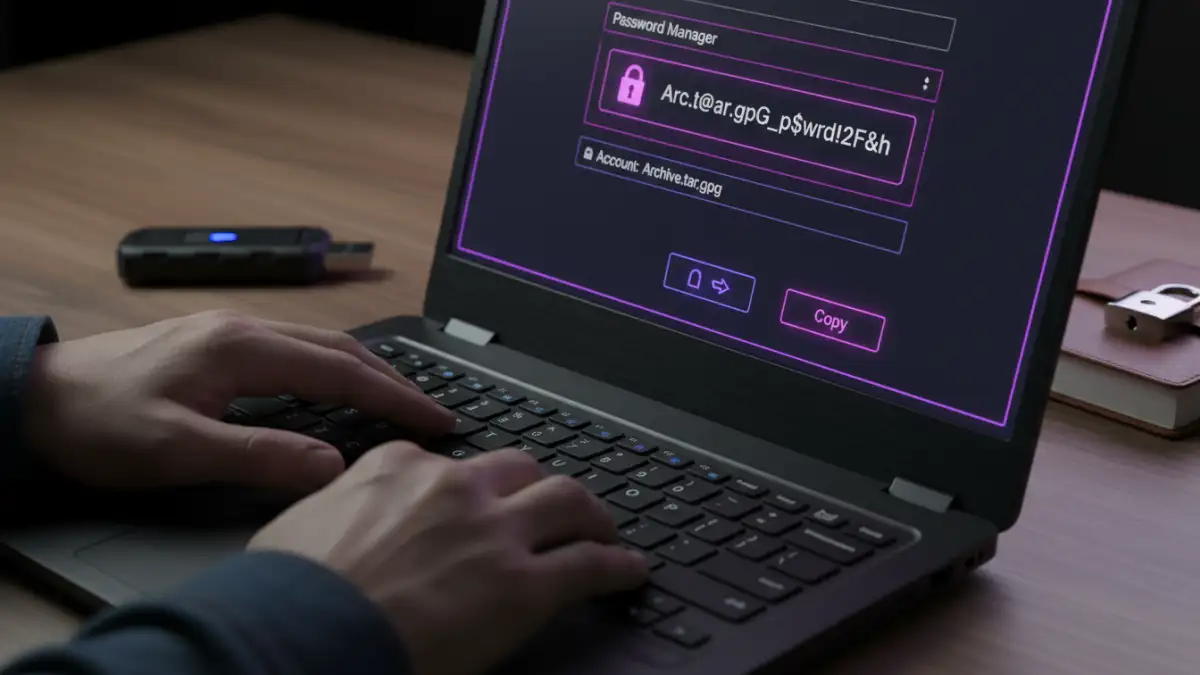
For most professionals, a reputable password manager is indispensable. Tools like 1Password, LastPass, or Bitwarden encrypt and store all your passwords behind a single master password. They can generate strong, unique passwords for you and autofill them, reducing the need for memorization.
When selecting a password manager, look for features like strong encryption (AES-256), multi-factor authentication (MFA), and cross-device synchronization. Regularly backing up your password manager's vault is also a crucial step to prevent data loss in case of system failure. This is one of the best ways to avoid losing password access to your critical files.
Offline Storage Solutions
For extremely sensitive TAR files, especially those that are archived for very long periods, an offline password storage solution might be preferable. This involves storing the password on a physical medium that is disconnected from any network.
Examples include encrypted USB drives, secure paper printouts stored in a fireproof safe, or even microfilmed records. The key is to ensure physical security and redundancy. While less convenient, it offers an air-gapped layer of protection against cyber threats, making it virtually impossible to lose your TAR file password to online attacks.
Best Practices for Long-Term Data Protection
Securing your TAR file passwords isn't a one-time task; it's an ongoing commitment. Implementing best practices for long-term data protection ensures that your encrypted archives remain accessible and secure for years to come. This encompasses regular reviews, secure backups, and a clear strategy for handling archived data.
As technology evolves and threats change, so too should your approach to data security. Staying vigilant and adaptable is key to maintaining robust protection over time.
Regular Password Audits and Updates
Periodically review your passwords, especially for critical archives. If a password has been in use for many years, or if there's any suspicion of compromise, it's wise to update it. A password manager can assist by flagging old or weak passwords.
During these audits, also verify that your documentation methods are still robust and accessible. Technology changes, and what was secure five years ago might have vulnerabilities today. Regular audits help you stay ahead of potential issues and confidently avoid losing password access.
Secure Backup Strategies
Beyond backing up the TAR files themselves, ensure your password management system or documentation is also backed up securely. If you rely on a password manager, ensure its encrypted vault is part of your regular backup routine. For physical records, consider multiple copies stored in different secure locations.
This redundancy is crucial. Losing a single backup copy of your password should not lead to complete data loss. Think about geographical dispersion for ultimate resilience against local disasters. Implementing a "3-2-1" backup rule (3 copies, 2 different media, 1 offsite) applies just as much to your passwords as it does to your data.
Password Management Strategy Comparison
| Method | Pros | Cons | Best For |
|---|---|---|---|
| Password Manager (Digital) | High security, auto-generation, cross-device sync, easy to update | Relies on master password, potential cloud sync risks, subscription costs | Everyday use, multiple passwords, team collaboration |
| Encrypted Notes/Files | Good security if properly encrypted, full control, no subscription | Manual management, less convenient, risk of losing encryption key | Specific project passwords, self-contained archives |
| Physical Notebook/Safe | Air-gapped security, immune to cyber threats, no software needed | Vulnerable to physical damage/theft, limited accessibility, no auto-fill | Extremely sensitive, long-term archives (e.g., legacy data), disaster recovery |
| Memorization | Instant access, no external tools | Limited number of strong passwords, high risk of forgetting, prone to error | Very few, non-critical passwords (generally not recommended for TAR files) |