
When dealing with sensitive information, especially data extracted from databases or complex systems, ensuring its security during transit and storage is paramount. Exporting structured documents, like reports or data tables, often means handling information that could be highly confidential. Implementing robust encryption for these exports is not just good practice; it's a critical step in safeguarding privacy and complying with regulations.
My experience has shown that while many systems offer export functionalities, the security of the exported files themselves is frequently an afterthought. This oversight can lead to significant vulnerabilities. Fortunately, there are straightforward and advanced methods to encrypt document exports, providing peace of mind and protecting your valuable data.
Table of Contents
Understanding the Basics of Document Encryption
At its core, encryption is the process of converting readable data into an unreadable format, known as ciphertext, using an algorithm and a key. Only someone with the correct key can decrypt the data back into its original, readable form. This fundamental concept is what protects your structured document exports from prying eyes.
Why Encrypt Your Exports?
The primary reason is to prevent unauthorized access. If an exported file containing customer data, financial records, or proprietary information falls into the wrong hands, the consequences can be severe, including data breaches, financial loss, and reputational damage. Encryption acts as a digital lock, ensuring only intended recipients can access the content.
Methods for Encrypting Exports

There are several approaches to encrypting your exported documents, ranging from simple built-in features to more complex software solutions. The best method often depends on the type of data, the export format, and your organization's security policies.
Common Encryption Techniques
Many common file formats, like PDFs and Microsoft Office documents, have built-in password protection features. This is a form of symmetric encryption where the same password is used for both encryption and decryption. For more robust security, especially for database report security, you might consider asymmetric encryption or dedicated file encryption tools.
Step-by-Step Implementation
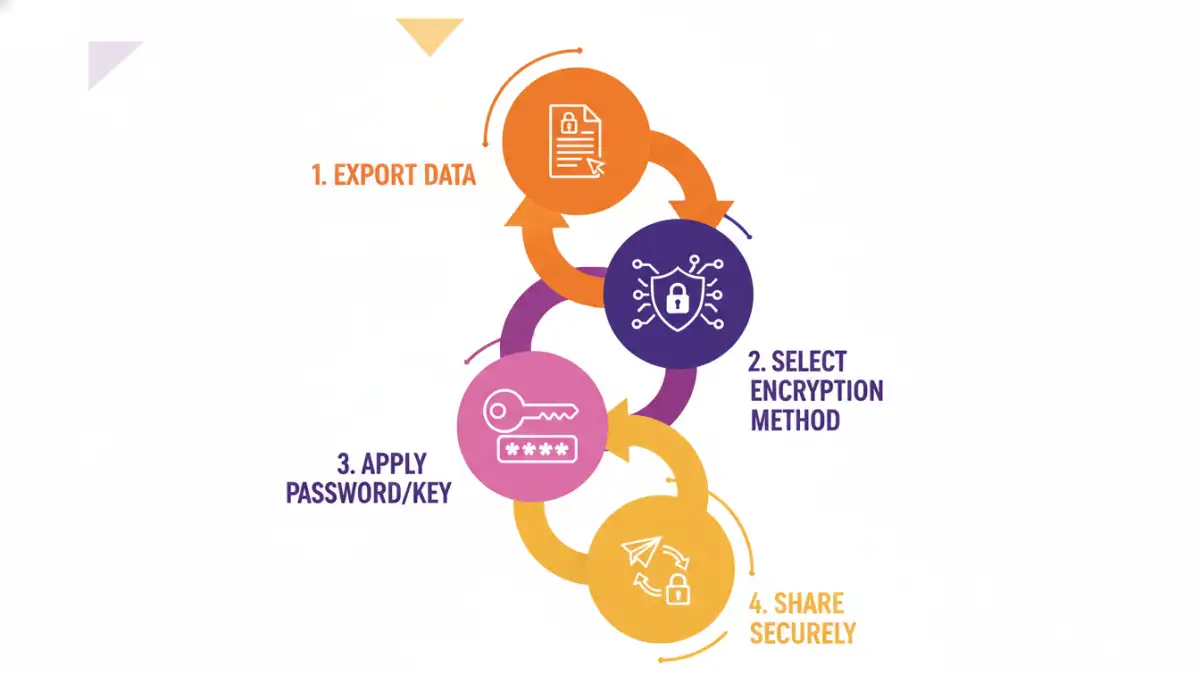
Let's walk through some common scenarios. If you're exporting data to a CSV or Excel file, you might not have direct encryption options within the export tool itself. In such cases, you would typically export the file first, and then use separate software to encrypt it.
Using Built-in Features
For formats like PDF, when you go to save or export, you'll often find an option to 'Encrypt' or 'Set Password'. Clicking this will prompt you to enter and confirm a password. This is a quick way to encrypt document exports for immediate use. Similarly, Microsoft Word, Excel, and PowerPoint allow you to 'Encrypt with Password' via the 'File' > 'Info' > 'Protect Document' menu.
Third-Party Encryption Tools
For more advanced file encryption, tools like VeraCrypt or GnuPG (for PGP encryption) offer stronger algorithms and more granular control. These tools can create encrypted containers or encrypt individual files, providing a higher level of export security. Many secure data sharing platforms also integrate encryption features directly into their export workflows.
Advanced Export Security
Beyond simple password protection, consider integrating encryption directly into your data export pipeline. If you're developing custom export scripts or using business intelligence tools, look for libraries or APIs that support encryption. This ensures that the data is encrypted as soon as it's generated, minimizing the window of vulnerability.
Automated Encryption Workflows
For recurring reports, setting up an automated workflow is ideal. This could involve a script that exports data, encrypts it using a predefined key or password, and then uploads it to a secure location. This reduces manual intervention and the risk of human error, making the process more reliable for secure data sharing.
Best Practices for Secure Exports
Regardless of the method chosen, adopting best practices is crucial. This includes using strong, unique passwords or keys, managing them securely, and only sharing encrypted files with authorized individuals. Regularly reviewing your export and encryption processes can help identify and address potential weaknesses.
Comparison Table: Encryption Methods for Document Exports
| Method | Pros | Cons | Use Case |
|---|---|---|---|
| Built-in Password Protection (PDF, Office) | Easy, widely supported, no extra software | Relatively weak encryption, susceptible to brute-force attacks if weak passwords used | Securing individual documents for limited sharing |
| Dedicated File Encryption Software (e.g., VeraCrypt, GnuPG) | Strong encryption algorithms, high security, versatile (containers, files) | Requires software installation, can have a learning curve | Encrypting sensitive files or batches of exports, secure data sharing |
| Secure Data Sharing Platforms | Integrated encryption, simplifies secure sharing, audit trails | Often subscription-based, may have limitations on file types or sizes | Collaborative environments, frequent secure data sharing needs |
| Custom Scripting with Encryption Libraries | Full control over encryption process, can be fully automated | Requires programming knowledge, initial setup effort | Automated, large-scale export processes, custom security requirements |