Working with sensitive information requires robust protection, and the landscape of document security is constantly evolving. As a software engineer who's spent over a decade navigating these complexities, I've seen firsthand how crucial it is to select the right tools. Simply relying on basic password protection often isn't enough when dealing with critical data.
This involves understanding the underlying technologies, evaluating feature sets, and considering how these solutions integrate into existing workflows. My goal here is to provide a clear, actionable overview of what makes a document security suite truly 'advanced' and how to assess them effectively.
Table of Contents
Understanding Advanced Document Security Suites
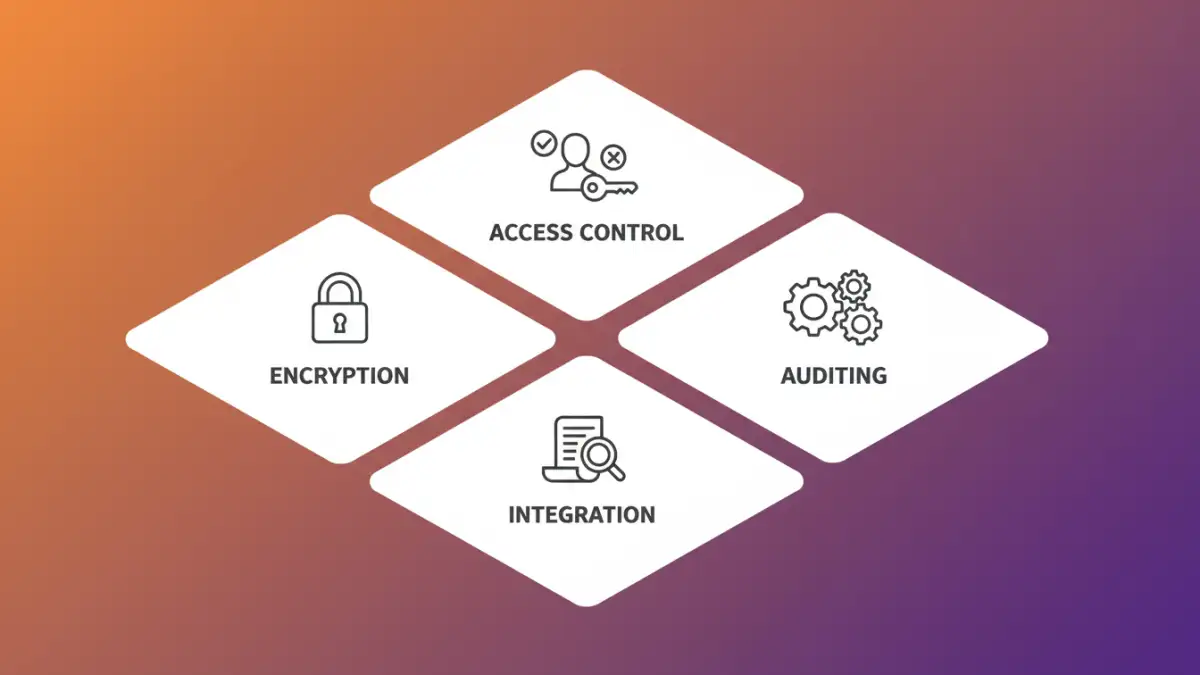
When we talk about advanced document security, we're moving beyond simple file-level passwords. These suites often encompass a broader range of functionalities designed to protect data at rest and in transit, manage access controls, and ensure compliance. They aim to provide a layered defense against a variety of threats.
The sophistication lies in their ability to integrate multiple security mechanisms. This can include advanced encryption algorithms, granular access permissions, audit trails, and even data loss prevention (DLP) capabilities. For organizations handling sensitive client data, intellectual property, or regulated information, these comprehensive solutions are indispensable.
What Differentiates Advanced Suites?
The primary differentiator is the depth and breadth of protection offered. While basic tools might encrypt a single file, advanced suites manage security policies across an entire organization. They often feature centralized administration consoles, allowing IT departments to enforce security standards consistently and monitor usage.
Furthermore, advanced solutions typically support a wider array of file types and integrate with other enterprise systems like cloud storage, email servers, and collaboration platforms. This ensures that security measures are applied uniformly, regardless of where the document resides or how it's shared.
Core Features to Evaluate

When assessing premium security suites, several core features stand out. Strong encryption is a given, but the specifics matter – AES-256 is a common standard, but support for other protocols and key management options can be critical for certain industries.
Access control is another vital component. This means not just who can open a document, but who can view, edit, print, or forward it. Role-based access, time-limited permissions, and watermarking for sensitive documents are all hallmarks of advanced systems. I've found that granular control is often the deciding factor for regulatory compliance.
Encryption and Access Control
Look for robust encryption that protects data even if the device is compromised. End-to-end encryption, where data is encrypted before it leaves the user's device and only decrypted by the intended recipient, offers the highest level of security. Centralized key management is also a significant advantage, simplifying the process of issuing, revoking, and rotating encryption keys.
For access control, features like multi-factor authentication (MFA) for accessing secured documents, the ability to revoke access remotely, and detailed audit logs are paramount. These logs track who accessed what, when, and what actions they performed, providing a crucial layer for accountability and incident response.
Implementation Strategies
Deploying an advanced document security suite requires careful planning. It's not just about installing software; it's about integrating it into your organization's IT infrastructure and workflows. This often involves defining security policies, training users, and configuring the system to meet specific business needs.
A phased rollout can be beneficial, starting with a pilot group or a specific department to identify any potential issues before a full organizational deployment. Clear communication with all stakeholders about the purpose and benefits of the new security measures is essential for user adoption and compliance.
User Training and Policy Enforcement
Effective user training is critical. Employees need to understand why these measures are in place and how to use the tools correctly. Training should cover password best practices, secure sharing procedures, and what to do if they encounter a security issue. Regular refresher courses help reinforce good habits.
Enforcing security policies consistently is also key. This involves setting clear guidelines on document handling, data classification, and acceptable use. The administration console of an advanced suite should make it straightforward to monitor compliance and address any policy violations promptly.
Selection Criteria
Choosing the right enterprise document protection solution hinges on several factors. Firstly, consider your specific industry and regulatory requirements. HIPAA, GDPR, and CCPA all have different mandates regarding data privacy and security that your chosen suite must meet.
Secondly, evaluate the scalability of the solution. Can it grow with your organization? Look at ease of integration with your existing IT stack – seamless integration with cloud services, email, and collaboration tools is a significant plus. Finally, consider the vendor's reputation, support quality, and commitment to ongoing development and security updates.
Scalability and Integration
A solution that works for a small team might not suffice for a growing enterprise. Ensure the software can handle an increasing number of users, documents, and data volume without performance degradation. Look for flexible licensing models that can adapt to your growth.
Integration capabilities are equally important. Does the suite offer APIs for custom integrations? Does it support popular cloud storage providers like OneDrive, Google Drive, or Dropbox? Does it integrate with your existing identity management systems for single sign-on (SSO)? These factors dramatically impact usability and adoption rates.
Future Trends in Document Security
The field of file security analysis is rapidly evolving, driven by new threats and technological advancements. We're seeing a greater emphasis on AI and machine learning for threat detection and anomaly identification within document usage patterns. This proactive approach can help identify potential breaches before they cause significant damage.
Zero-trust security models are also becoming more prevalent, meaning no user or device is inherently trusted. Every access request is verified, adding another layer of security. Furthermore, advancements in quantum-resistant encryption are on the horizon, preparing for potential future threats from quantum computing.
Comparison Table
| Feature | Basic Protection | Advanced Suites | Premium Security Suites |
|---|---|---|---|
| Encryption Strength | Standard (e.g., AES-128) | Advanced (e.g., AES-256, custom algorithms) | Industry-leading (e.g., AES-256, FIPS 140-2 validated) |
| Access Control | File-level password | User/Group permissions, view/edit rights | Granular permissions, time limits, MFA, remote revoke |
| Auditing & Logging | Minimal/None | Basic audit trails | Comprehensive, tamper-evident logs |
| Integration | None | Limited (e.g., basic cloud sync) | Extensive (APIs, SSO, email, cloud, DLP) |
| Central Management | None | Basic console | Robust, centralized admin console |
| Use Case | Personal files | Small teams, specific projects | Enterprises, regulated industries |