
I recently helped a colleague who couldn't access an important project archive. They had compressed a directory into a `.tar` file and then encrypted it using GPG for secure transfer, but had unfortunately forgotten the passphrase. This scenario is surprisingly common: you prioritize security by encrypting your data, only to find yourself locked out. Recovering access to such a file, especially a `.tar` archive protected by an external encryption layer, can be a daunting task without the right approach.
This guide aims to demystify the process, offering a comprehensive look at how you might approach a `tar password recovery guide` scenario. We'll cover the nuances of how these archives are typically secured, the ethical considerations involved, and practical steps you can take to retrieve access, all while emphasizing responsible and legal use.
Table of Contents
Understanding TAR Archives and Encryption
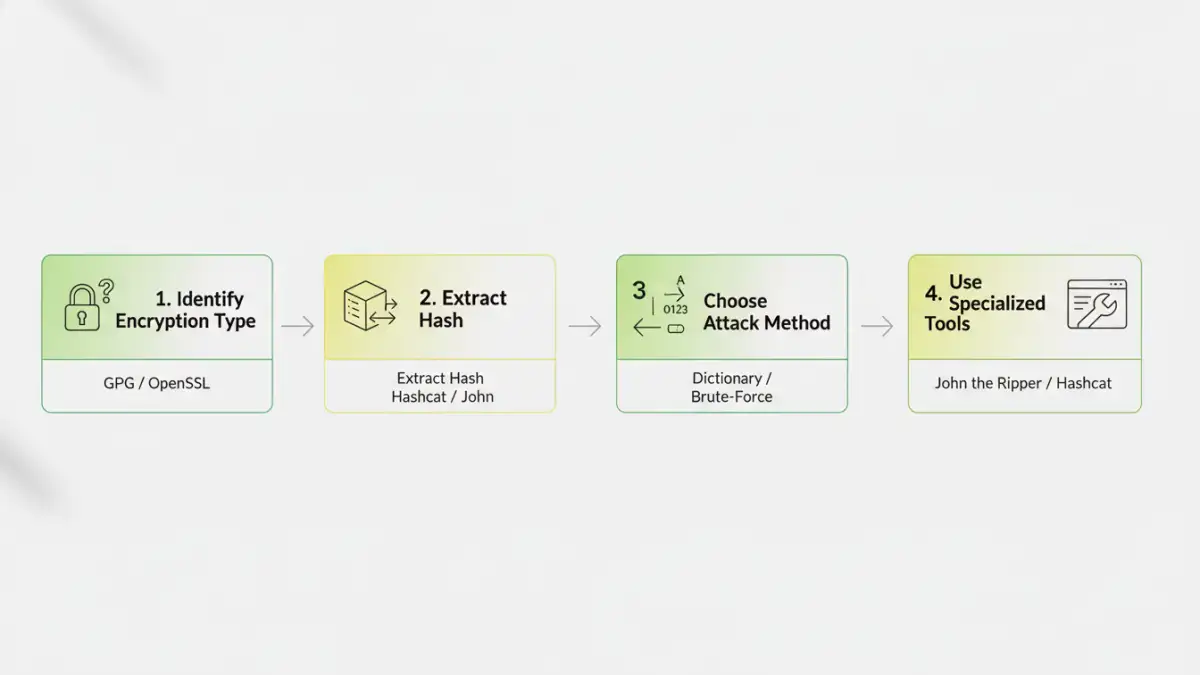
A TAR (Tape ARchive) file itself is primarily a container format, bundling multiple files and directories into a single file while preserving file system attributes. Crucially, standard TAR files do not have built-in encryption or password protection capabilities. When you encounter a password-protected `.tar` file, it's almost always a `.tar` archive that has been subsequently encrypted using an external tool.
The most common encryption methods for TAR archives involve utilities like GnuPG (GPG) or OpenSSL. These tools wrap the entire `.tar` file in an encrypted layer, requiring a passphrase to decrypt it. Therefore, when we talk about `tar password recovery guide`, we're actually referring to recovering the GPG or OpenSSL passphrase protecting the TAR archive, rather than a password inherent to the TAR format itself.
How TAR Encryption Works
Typically, a user would first create a TAR archive (e.g., `tar -cf archive.tar /path/to/data`). Then, this `.tar` file would be encrypted using a command like `gpg -c archive.tar` (for symmetric encryption with a passphrase) or `openssl enc -aes256 -in archive.tar -out archive.tar.enc`. The resulting file (e.g., `archive.tar.gpg` or `archive.tar.enc`) is what needs its password recovered. Understanding this distinction is vital, as it directs us to the correct recovery tools and methodologies.
Initial Steps Before Recovery
Before diving into complex recovery methods, there are several preliminary steps that can often save a lot of time and effort. These steps focus on identifying potential clues and ensuring you're working with the correct file and method.
Checking for Clues
Think about where the password might have originated. Was it a common password you use? A date? A name? People often use variations of familiar words, important dates, or simple patterns. Also, confirm the file extension: is it `.tar.gpg`, `.tar.enc`, or something else? This helps identify the specific encryption tool used, which dictates the recovery software you'll need.
In one instance, a client had used their dog's name followed by a birth year. A simple dictionary attack with common pet names and years quickly revealed the passphrase. Every bit of context helps in narrowing down the possibilities, making your `tar password recovery guide` process more efficient.
Brute-Force and Dictionary Attacks
When initial guesses fail, the next step often involves automated password cracking techniques. These methods rely on systematically trying potential passwords until the correct one is found. The two primary approaches are dictionary attacks and brute-force attacks.
Setting Up a Brute-Force Attack
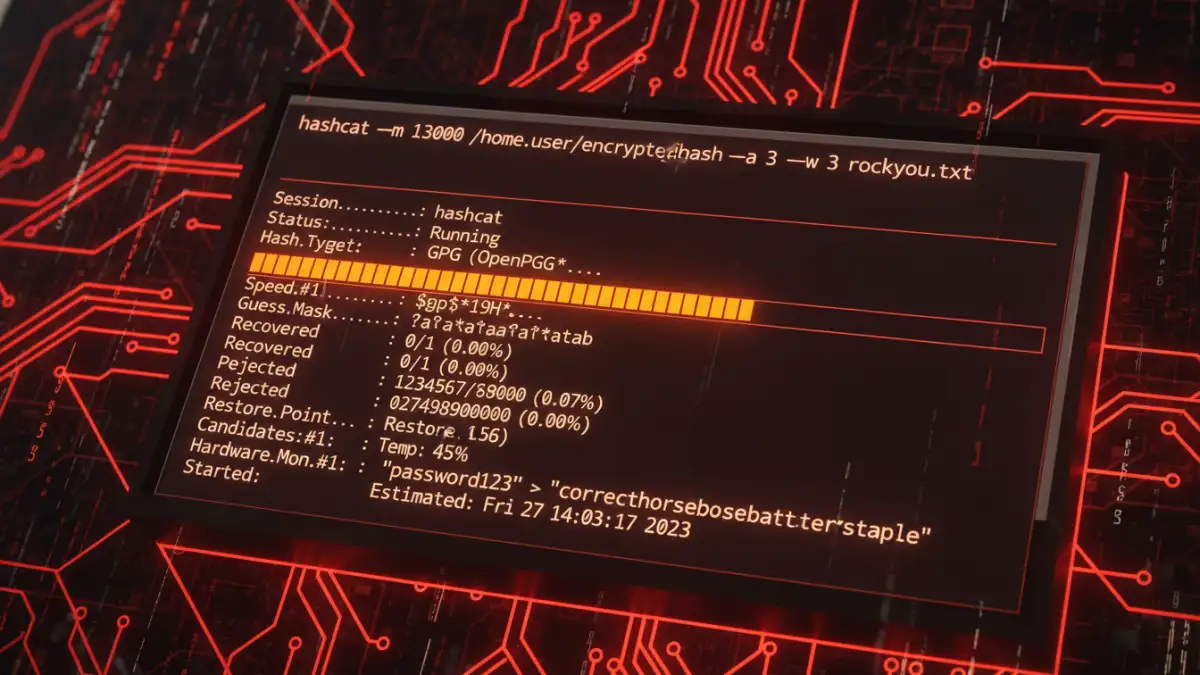
A brute-force attack attempts every possible combination of characters within a defined set (e.g., all lowercase letters, numbers, and symbols) and length. This method is guaranteed to find the password eventually, but it can take an extremely long time, from days to years, depending on the password's complexity and your computing power. Tools like John the Ripper (JtR) or Hashcat are commonly used for this.
To prepare for a brute-force attack, you'll first need to extract the hash from your encrypted file. For GPG files, tools like `gpg2john` (part of John the Ripper) can convert the GPG file into a format JtR can understand. Once you have the hash, you can then configure JtR or Hashcat to attempt various character sets and lengths against it.
Leveraging Specialized Tools
While brute-force and dictionary attacks form the core of most password recovery efforts, specialized tools can streamline the process, especially when dealing with specific encryption types like GPG or OpenSSL.
Popular Recovery Software
For GPG-encrypted TAR archives, `John the Ripper` is an excellent choice. It supports GPG hashes and can be configured for both dictionary and brute-force attacks. Another powerful tool is `Hashcat`, which is highly optimized for GPU-accelerated cracking, significantly speeding up brute-force attempts. Both require some command-line proficiency but offer extensive customization for attack rules.
There are also commercial tools available that offer graphical interfaces and pre-configured attack options, which can be more user-friendly for those less comfortable with command-line tools. However, these often come with a cost and may not always outperform open-source alternatives in raw cracking power.
Preventative Measures and Best Practices
The best `tar password recovery guide` is one you never need to use. Implementing strong password practices and secure storage methods can prevent the loss of access to your critical data in the first place.
- Use Strong, Unique Passwords: Always create long, complex passphrases that combine uppercase and lowercase letters, numbers, and symbols. Avoid using easily guessable information like names, birthdays, or common dictionary words.
- Employ a Password Manager: A reputable password manager can generate and securely store unique, strong passwords for all your encrypted archives and online accounts. This eliminates the need to remember complex passphrases yourself.
- Securely Store Passwords: If you must write down a passphrase, ensure it's stored in a physically secure location, separate from the encrypted file itself. Never store plain-text passwords on your computer.
- Consider Key Files: For critical archives, some encryption tools allow the use of key files in addition to or instead of passphrases. These can offer an alternative means of access, but require careful management of the key file itself.
- Regular Backups: Maintain encrypted backups of your important data. While this doesn't help with password recovery, it ensures data integrity in case of file corruption or loss.
My decade in software engineering has taught me that the most robust security solutions are often those that are simple to manage. While the tools for `tar password recovery guide` exist, the effort involved can be immense. Proactive measures are always the superior strategy.
Recovery Method Comparison
| Method | Pros | Cons | Best For |
|---|---|---|---|
| Initial Guesses / Clues | Fastest if successful, no special tools | Low success rate for strong passwords | Simple, easily remembered passwords |
| Dictionary Attack | Faster than brute-force for common words | Ineffective against unique, strong passwords | Passwords based on common words/phrases |
| Brute-Force Attack | Guaranteed to find password (eventually) | Extremely time-consuming, high computing power needed | Short, less complex passwords, or when all else fails |
| Specialized Software (e.g., JtR, Hashcat) | Optimized for speed, extensive customization | Requires technical knowledge, can be complex to set up | Serious recovery attempts, experienced users |